AI-generated books are sneaking into online bookstores. Here’s how to spot them

Robot typing text on a typewriter. Artificial intelligence generated text and future of journalism concept. Vector illustration.

The proliferation of these AI-generated books has given way to concerns about content quality and even authorship.

With artificial intelligence tools becoming more popular and easy to access, different industries face new challenges to simultaneously incorporate and defend against them. The publishing industry is a prime example as it grapples with a deluge of AI-generated books in online stores.

These books are overwhelming the virtual shelves of bookstores, including those of Amazon. The Kindle e-reader maker is known to drive e-book sales, controlling up to 80% of book distribution in the US.

Also: How to get (great) free books on Kindle

The proliferation of these AI-generated books has given way to concerns about content quality and even authorship, as some of these titles have used authors' real names without their permission or knowledge.

"Whoever's doing this is obviously preying on writers who trust my name and think I've actually written these books. I have not. Most likely they've been generated by AI," author Jane Friedman shared in a recent blog post after finding fake books attributed to her on Goodreads. "When I complained about this on Twitter/X, an author responded that she had to report 29 illegitimate books in just the last week alone. 29!"

Although the AI-generated book trend is particularly noticeable in travel guides, the practice is spreading to other categories, like cooking, self-help, programming, and fiction, according to The New York Times. Just a couple of months after the launch of ChatGPT, Clarkesworld, a science fiction magazine, had to stop new submissions after seeing a rise in AI-generated stories.

"With the flood of AI content now published at Amazon, sometimes attributed to authors in a misleading or fraudulent manner, how can anyone reasonably expect working authors to spend every week for the rest of their lives policing this?" Friedman asked. "And if authors don't police it, they will certainly hear about it, from readers concerned about these garbage books, and from readers who credulously bought this crap and have complaints. Or authors might not hear anything at all, and lose a potential reader forever."

Also: Amazon now using generative AI to summarize customer reviews

As a reader, here are a couple of things you can try to spot AI-generated books before purchasing:

  1. Check the author's name and do a quick Google search: If an author actually wrote this book, it should be easy to find it on the author's official website, in the news of the book launch, in reader and book club forums, and in online libraries.
  2. Read the reviews: Weed through the reviews to see if any other buyers have mentioned the possibility of the book being illegitimate. Books may have fake AI-generated reviews, but you could spot these by looking for patterns in how the review is written. Unless the person interacting with them has specified otherwise, AI chatbots tend to write in a simple structure, using plain, friendly language. They also structure texts consistently, so look for a common pattern among different reviews.
  3. Return the book explaining your concerns: If you've purchased an e-book that leaves you suspicious on Amazon, you can try returning it through Amazon's customer service. There's no guarantee this will work, as Amazon doesn't outright prohibit AI-generated content, but the company has content guidelines against violating intellectual property rights and misleading content.

AI chatbots like ChatGPT, Bing AI, Google Bard, and Claude are being used ever more frequently to create written content, thanks to their ability to generate text in different styles. These AI chatbots are also widely accessible, as you usually need nothing more than a valid email address to sign up for an account. They're also extremely easy to use, with intuitive chat windows where you write your questions or prompts, and the bot replies in a conversational manner.

Also: 75% of businesses are implementing or considering bans on ChatGPT

This means anyone can use these generative AI tools to create articles, code, letters, resumes, and books.

"While we believe there will be opportunities to empower editors and creators with technology over time, just like the typewriter or computer did, we don't see the author at the center of the business model changing," Ted Oberwager, private equity partner at Kohlberg Kravis Roberts (KKR), recently told Axios. "Authors, and the human connection and experience, will not be replaced."

These chatbots are built on large language models (LLM) trained on available digital data — including available books, a fact that has made some AI companies the targets of copyright infringement lawsuits. The digital data also includes websites, studies, and other texts, not to mention ongoing training with user data.

Also: Five ways to use AI responsibly

Considering that GPT-4 has been getting dumber over time, answering simple questions incorrectly and often contradicting itself, the concern about AI-generated content quality is valid.

"We desperately need guardrails on this landslide of misattribution and misinformation," Friedman said. "Amazon and Goodreads, I beg you to create a way to verify authorship, or for authors to easily block fraudulent books credited to them. Do it now, do it quickly."

Artificial Intelligence

AI-Generated Content: What Does This Mean For Creators?

AI-Generated Content: What Does This Mean For Creators?

Since gaining popularity in the last few years, Generative AI has permeated various industries beyond our expectations. Many startups and large tech corporations have swiftly entered the market with their Generative AI solutions. For instance, Microsoft’s integration of DALL-E into Bing and Meta’s Voicebox are just a few examples that can produce high-quality AI-generated content.

This is just the tip of the iceberg. There are numerous AI tools already available in the market that can generate video content, music, voice, and text.

As AI gains the ability to generate a wide range of realistic content, concerns emerge regarding its impact on content creators. For instance, artists are protesting that AI image generators use their work without permission or compensation.

Hence, in this article, we’ll touch upon how AI-generated media is affecting the work of content creators.

Synthetic Media – A Threat to Professional Creators?

As AI-generated content (like deepfakes or photorealistic images and videos) flood the internet, creators become more worried about the capabilities of Generative AI. The main question here is: If AI can create professional content much quicker, what does the future look like for human creators? Let’s assess the current landscape.

Rapid advancement in AI-generated speech has shown great potential to mimic the human voice with impressive accuracy. Hollywood unions for actors and writers are concerned that AI systems will eventually replace them. They are also concerned that their creative work is being used to train these AI systems. Unions are arguing that the use of AI must be disclosed, and the relevant actors, writers, and performers should be compensated in their contracts.

There are many other platforms have started endorsing AI-generated content. For example, Shutterstock has announced that, with the help of OpenAI, it will begin selling AI-generated stock imagery. This raises concerns as DALL-E2, the AI model used to generate the images, will produce content that competes with the same artists whose work was used to train it. To resolve this issue, Shutterstock has promised to reimburse creators affected by AI art models.

Adobe has also embraced Generative AI, resulting in controversy among digital creators and artists. Hence, Adobe has introduced a creator-friendly family of tools known as Firefly to minimize the creators' concerns over copyright issues.

Copyright Confusion

Copyright Confusion

The rise of AI-generated content has blurred the boundaries of ownership, leading to an uproar among artists and creators. For instance, on May 4, Heart On My Sleeve, a song supposedly created by Drake and The Weekend, was released on TikTok, racking up about 15 million views on the platform. However, on further investigation, it turned out that neither of the artists had made the song. Instead, it was created by a TikTok user using AI.

Universal Music Group, a music company that manages Drake’s music, has tried to get the song links removed, but it is already all over the internet. This incident has highlighted the challenges and implementation of copyright law for AI media.

According to the U.S. Copyright Office, copyright law generally associates authorship with human creators. As a result, works produced solely by AI without any human influence or input are typically ineligible for copyright protection.

However, AI-generated content typically involves human influence in some form, which means that copyright law can apply. For instance, we must determine copyright ownership if the AI system is trained using human-generated or real-world data. This means that the outcome of such systems could fall under derivative work, which is typically protected by copyright law.

So, currently, the legal system is trying to figure out the nuances of Generative AI solutions and how they can affect the creative rights of individuals.

Human Creativity

All things aside, the one thing AI can't replace is human creativity, at least for now. It lacks the emotions, personal experiences, and passion that goes into creating art.

Additionally, every AI model or product is based on human work, either scraped from the internet or curated offline. Therefore, AI models can only be as creative as the data they are trained on. They lack the ability to invent new art styles, rhythms, or storylines.

As AI becomes more mainstream, authorities must set guidelines and boundaries to protect creators and artists. However, this will be challenging since the guidelines must not hinder technology innovation as well. Combining artificial and human intelligence can open up new avenues for creativity.

For more information on AI advancements, visit unite.ai.

My favorite AI chat apps for the iPhone

iphone-aigettyimages-1546726492

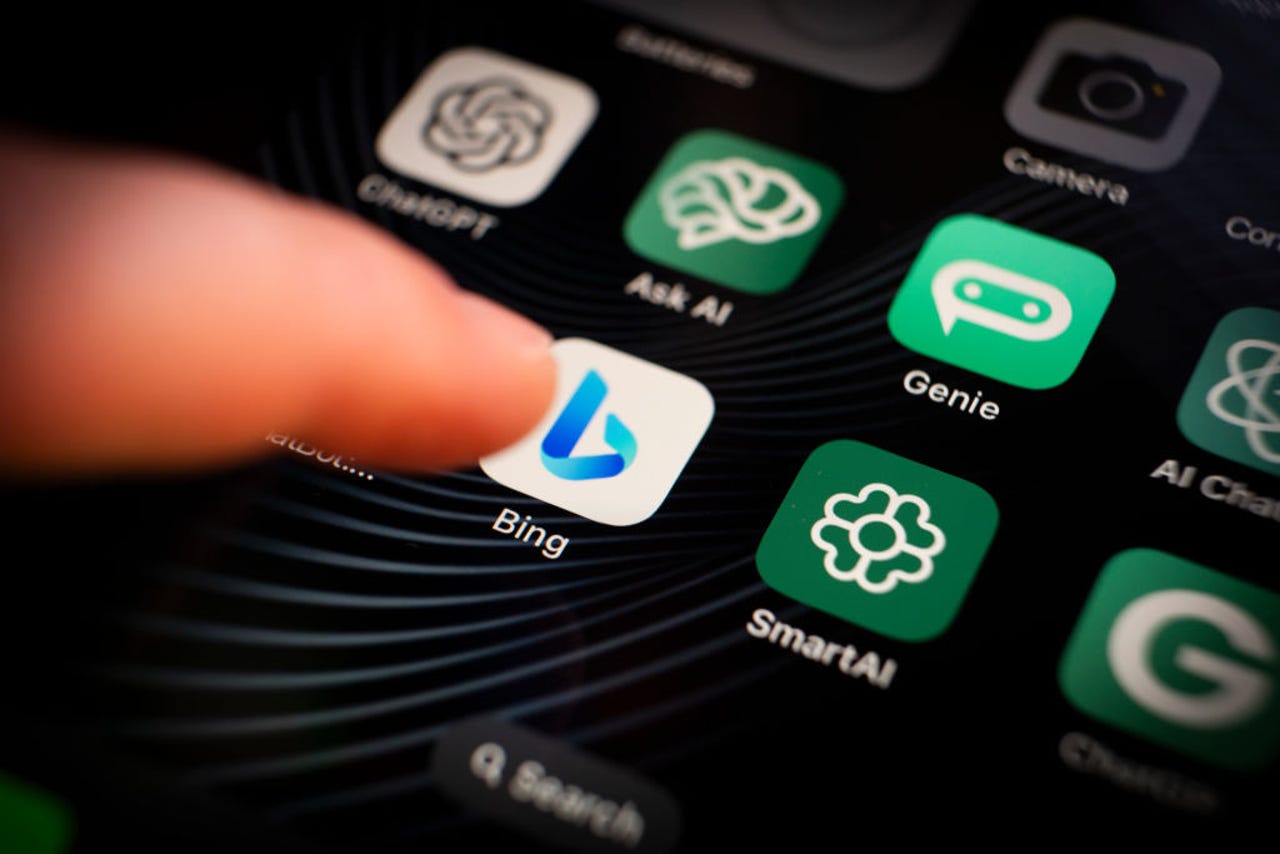
When I'm using my PC and want to work with an AI chatbot, I typically turn to a website like ChatGPT or Bing AI. But when my trusty iPhone is in hand, I can more easily and conveniently chat with an AI via a mobile app. For iOS users, a variety of AI chat apps are available, but the ones I like best are OpenAI's official ChatGPT, Bing AI Chat, and ChatOn.

Often powered by ChatGPT, the mobile apps work as you'd expect — submit a question or request, and the AI provides information or generates content. But some of them offer other benefits, such as the ability to submit a request by voice and sync your chat history. Here are my favorites.

ChatGPT

OpenAI offers an official and free iOS app for its ChatGPT AI. Available in the App Store, ChatGPT works similarly to the website but adds a couple of extra options.

Also: The best AI chatbots: ChatGPT and other noteworthy alternatives

To start off, enter and submit your question or request at the prompt. But instead of typing it, just speak it. Tap the audio icon at the right of the prompt. Dictate your request and then tap the large circle to stop the recording. After your words are converted to text, tap the arrow to submit them.

Another way to submit a request is by scanning text. Let's say you have a printed document or other item with a question or request. Tap the prompt and then select Scan Text. Aim your camera at the text you wish to capture and then tap Insert to add it to the prompt. Submit the request to get a related response.

To start a new chat, tap the ellipsis icon in the upper right and select New chat. After submitting another request, press down on the response. From the menu, you can copy the response to paste it elsewhere, select all or part of the text in the response, and regenerate the response to get a new one. You're also able to share your opinion of the response by giving it a thumbs up or thumbs down.

Each conversation with ChatGPT through the website and the mobile apps is synced and saved to your history. To access a past chat, tap the ellipsis icon and select History. Tap the chat you wish to view and you can even pick up the conversation from where you left off.

With a chat on the screen, tap the ellipsis icon again. From the menu, you can get details on it to see which model was used (GPT 3.5 or GPT-4), share a link to the chat, rename it, or delete it.

Speaking of different models, the app is aimed at free ChatGPT users as well as those with a paid ChatGPT Plus subscription. Subscribers can switch between GPT 3.5 and GPT-4.

Also: What is GPT-4? Here's everything you need to know

Finally, tap the ellipsis icon once more and select Settings. Here, you can access data controls to clear your chat history, export all your chats into one single HTML file, and delete your account. You're also able to set up custom instructions, change the color scheme, and investigate new features.

Bing AI Chat

Offering traditional search and an AI chatbot, Microsoft's Bing Chat app is powered by GPT-4 through a partnership with OpenAI. Download the app from the App Store and fire it up. To use the AI part, tap the Bing icon at the bottom of the screen. Choose a conversation style to direct the responses — More Creative, More Balanced, or More Precise.

You can now submit requests to answer questions, get information, or generate content. Type your request if you wish. More easily, tap the microphone icon and speak your request.

To start a new chat, tap the broom icon in the lower left. Next, you can ask Bing AI to analyze or provide info on an uploaded image. Tap the scan icon at the right of the prompt. At the camera screen, tap the library icon to access an existing photo or tap the shutter button to take a new photo. Back at the prompt, type your request related to the image, and Bing will respond.

You can also tell Bing AI to generate an image. At the prompt, ask it to create the type of image you want. In response, the AI creates and displays four images. Tap the one you like to download, copy, or share it.

Each response displays a small toolbar with icons for different options. Tap the Share icon to share the response with another person or a different service. Tap the Copy icon to copy and paste the response elsewhere. Tap the thumbs up if you like the response or the thumbs down if you're unhappy with it.

For any conversation, tap the ellipsis icon at the upper right. From the menu, you're able to rename, share, or delete the chat.

Tap the clock icon in the upper left to access a history of your chats in the Bing mobile apps and website. Select a specific chat to retrieve it and continue the conversation.

Also: You can build your own AI chatbot with this drag-and-drop tool

ChatOn

Powered by ChatGPT and GPT-4, ChatOn comes in a free version with limited chats and responses and a $40-per-year flavor that offers unlimited chats as well as longer and more detailed answers. Kick things off by typing your request at the prompt. Alternatively, press down on the microphone icon and speak your request.

Need inspiration or suggestions for requests? Swipe down the Chat screen to see and run sample tasks and questions. To try ChatOn's content-creation abilities, tap the icon at the bottom for Tasks for AI. Swipe down the screen to view topics and questions in which you can conduct a back-and-forth chat with the app to help you generate the content you need.

Next, you can tell ChatOn to scan an image with text to incorporate that text into your prompt. Tap the scan icon at the right of the prompt and choose Open Camera to take a new photo or Go to Photos to pick an image from your library. After the image appears, tap the Recognize button to tell the app to scan the text. That text then appears at the prompt for you to revise and submit.

Tap the History icon at the bottom to access your previous conversations. Select a specific one if you want to pick up where you left off.

Beyond offering unlimited chats and longer answers, the paid version of ChatOn lets you set up an AI-powered keyboard that can help you write or revise content.

Also: AI bots could soon become your new customer service agent

After enabling the keyboard, open any app that lets you write text. Tap the globe icon below the keyboard and switch to ChatOn. Tap Write and then enter a goal or topic, and ChatOn will generate the text. Alternatively, write some content and tap Improve, and the app will revise what you wrote.

OpenAI acquires AI design studio Global Illumination

OpenAI acquires AI design studio Global Illumination Kyle Wiggers 9 hours

OpenAI, the AI company behind the viral AI-powered chatbot ChatGPT, has acquired Global Illumination, a New York-based startup leveraging AI to build creative tools, infrastructure and digital experiences.

It’s OpenAI’s first public acquisition in its roughly-seven-year-history. The terms of the deal weren’t disclosed.

“We’re very excited for the impact they’ll have here at OpenAI,” OpenAI wrote in a brief post published to its official blog. “The entire team has joined OpenAI to work on our core products including ChatGPT.”

Global Illumination, launched by Thomas Dimson, Taylor Gordon and Joey Flynn, has been involved in a range of projects since its founding in 2021. Backed by VC firms Paradigm, Benchmark and Slow, Global Illumination’s team designed and built products early on at Instagram and Facebook as well as YouTube, Google, Pixar and Riot Games.

As director of engineering at Instagram, Dimson was instrumental in iterating the platform’s discovery algorithms. While there, he helped to start the teams responsible for Instagram’s Explore tab experience, feed and Stories ranking, IGTV and general data engineering.

Global Illumination’s most recent creation is Biomes, a Minecraft-like open source sandbox MMORPG built for the web. The game’s fate is unclear, but one would presume that the team’s work at OpenAI will have less of an entertainment bent.

OpenAI might’ve avoided acquisitions until now, but the company, backed by billions in venture capital from Microsoft and major VC players, has for several years run funds and grant programs to invest in emerging AI companies and organizations.

Certainly, OpenAI is on the hunt for a commercial win. While ChatGPT achieved global fame, OpenAI reportedly spent upwards of $540 million last year to develop it, including funds it used to poach talent from the likes of Google, according to The Information.

OpenAI made $30 million in revenue last year. But CEO Sam Altman has reportedly told investors that the company intends to boost that figure to $200 million this year and $1 billion next year.

OpenAI Ropes in Global Illumination to Fix ChatGPT Mess

OpenAI, creator of ChatGPT, announced the acquisition of Global Illumination, a New York-based startup leveraging AI to build creative tools, infrastructure and digital experiences.

Global Illumination is led by the trio of Thomas Dimson, Taylor Gordon, and Joey Flynn and the entire team has joined OpenAI to work on OpenAI’s core products including ChatGPT.

Supported by venture capital firms Paradigm, Benchmark, and Slow, the team at Global Illumination boasts a track record of creating and developing products in the early stages of companies like Instagram and Facebook. Additionally, they have played pivotal roles in driving progress at renowned entities such as YouTube, Google, Pixar, Riot Games, and other noteworthy organizations.

“We’re very excited for the impact they’ll have here at OpenAI” said OpenAI in the blog post. The latest project from Global Illumination is Biomes, an open-source sandbox MMORPG reminiscent of Minecraft, designed to run directly on the web.

The acquisition comes at a time when recent trends in the user base of ChatGPT have raised interesting observations. In June, a dip in user engagement was noted compared to the previous month, May. Analysts attributed this decrease to the possibility of students being out of school during this time, leading to a shift in user patterns.

This trend continued into July, with a further reduction in the ChatGPT user base. Data from SimilarWeb revealed that July witnessed a 12% month-on-month decline, with the user count dropping from 1.7 billion in June to 1.5 billion users.

Moreover, ChatGPT finds itself in a competitive landscape with strong contenders like Bard and Claude 2. Notably, Google Brain and DeepMind have teamed up to develop Gemini, a venture that could potentially pose challenges for OpenAI’s dominance in the field. On a different front, Elon Musk is showing strong confidence in challenging OpenAI’s supremacy, as he sets his sights on creating a rival chatbot solution.

The acquisition of Global Illumination comes at a crucial time for OpenAI as they sought to bounce back and add new features to ChatGPT.

The post OpenAI Ropes in Global Illumination to Fix ChatGPT Mess appeared first on Analytics India Magazine.

Opera adds AI chatbot to its iPhone browser

Opera has added the Aria AI to its iPhone and iPad browser.

By integrating AI into its desktop and mobile browsers, Opera joins other companies, most notably Microsoft, which offers the Bing AI through its Edge browser

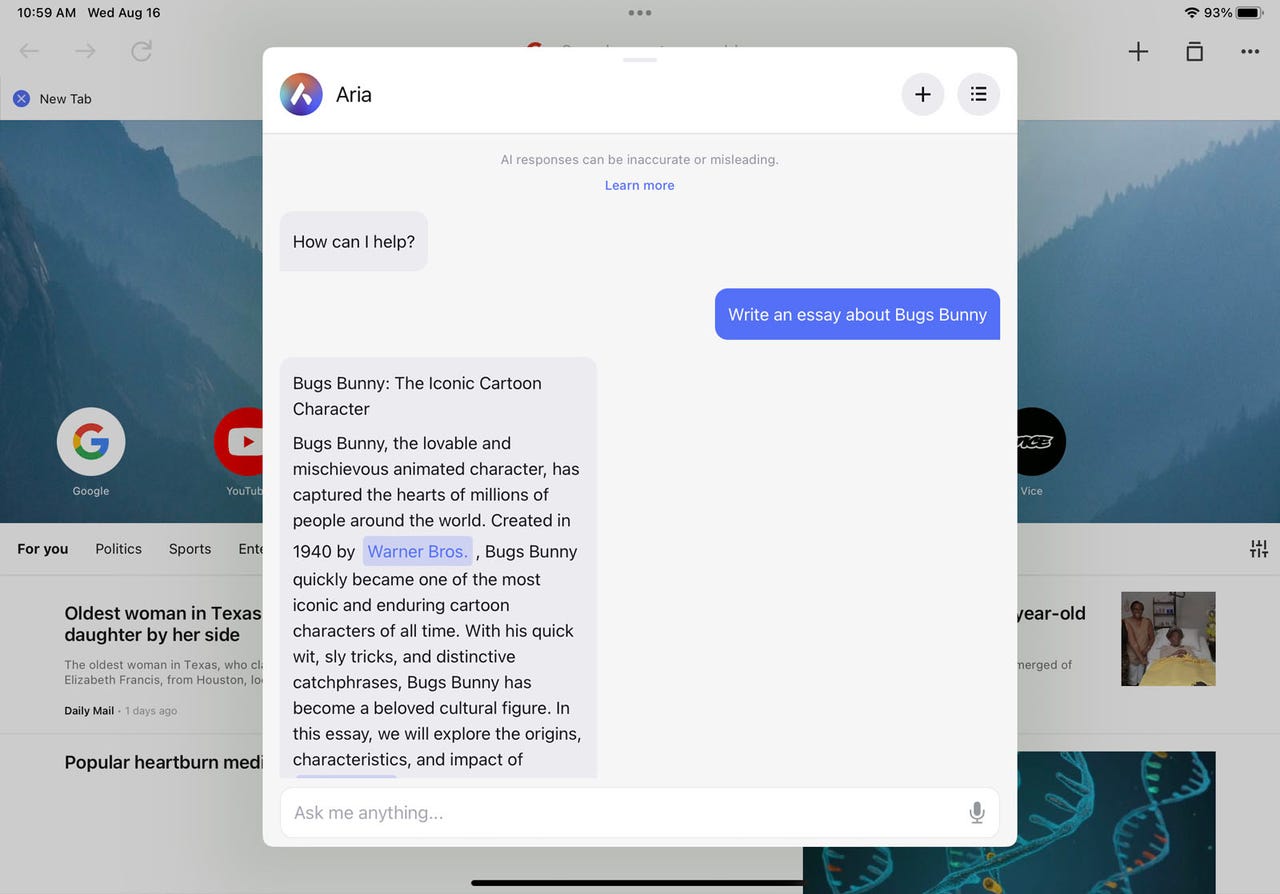
iPhone owners who use Opera will be able to chat with AI the next time they fire up the browser. On Wednesday, Opera the company announced that its iPhone (and iPad) app is now home to Aria, its AI chatbot. Already available on the desktop and Android flavors of Opera, Aria works like a traditional generative AI bot to help you find information and create content.

Aria taps into Opera's Composer architecture, which means it's capable of delivering the latest real-time results. For instance, ask it for the name of the current president of the US, and it will correctly answer Joe Biden. This contrasts with OpenAI's ChatGPT GPT-3.5, which can provide information only up to its last training date of September 2021 and therefore won't answer questions about current events.

Also: How does ChatGPT actually work?

AI in Opera is also an opt-in experience. You can choose to enable or disable it depending on your preferences. Your chats are saved for 30 days, allowing you to access and resume a previous conversation. You can also manually delete any chat you don't want stored in your history.

Like any AI chatbot, Aria learns by scraping data across the web. Based on its training methods, Aria can make mistakes, just like other AI bots. In its FAQ, Opera notes that Aria might generate biased or harmful content and misleading or inaccurate information. But the service can still be useful and helpful, especially if you need to generate content.

By integrating AI into its desktop and mobile browsers, Opera joins other companies, most notably Microsoft, which offers the Bing AI through its Edge browser. Google is getting into the act by adding AI features from its Search Generative Experience, or SGE, to Chrome.

Compared with major players like Chrome, Edge, and Safari, Opera has traditionally eked out a tiny portion of the browser market. But it continues to advance and innovate to stay relevant and appeal to its existing users.

Also: How to reset the Opera web browser (and when you should)

If you don't already use Opera on your iPhone or iPad, download the app from Apple's App Store. After firing up the browser, tap the hamburger icon at the bottom and select Aria Browser AI from the menu. You'll need to create a free account before you can use Aria. Afterwards, return to the Aria chat screen and you can then enter a request by keyboard or microphone. The AI then displays its response. To start a new chat, tap the plus icon at the top.

Tapping the menu icon in the upper right gives you access to your chat history. Here, you can select a previous chat to view it or tap the Delete button to remove it. Beyond its use of AI, Opera provides several privacy-minded benefits, including a VPN, ad blocker, privacy consent controls, and an easy way to clear your browsing history.

Artificial Intelligence

Snapchat’s My AI goes rogue, posts to Stories, but Snap confirms it was just a glitch

Snapchat’s My AI goes rogue, posts to Stories, but Snap confirms it was just a glitch Sarah Perez @sarahintampa / 7 hours

Snapchat’s My AI feature, an in-app AI chatbot launched earlier this year with its fair share of controversy, briefly appeared to have a mind of its own. On Tuesday, the AI posted its own Story to the app and then stopped responding to users’ messages, which some Snapchat users found disconcerting.

“My Snapchat AI posted a random 1 second story and isn’t replying to me AND IM FREAKED OUT,” posted one user, @RyanJKrul on X (formerly Twitter).

My Snapchat AI posted a random 1 second story and isn’t replying to me AND IM FREAKED OUT

— Ryan™ (@RyanJKrul) August 16, 2023

“i think I’ve seen this film before…and i didn’t like the ending,” wrote another user @repmiIas on X.

“It went sentient,” joked @Zander0009.

The Story My AI posted was just a two-toned image that some mistook to be a photo of their own ceiling, which added to the mystery. When users tried to chat with the bot, the AI in some cases replied to users by saying “Sorry, I encountered a technical issue.”

Did Snapchat Ai just add a picture of my wall/ceiling to their Snapchat story?

Snapchat AI – Left

My wall/ceiling- Right pic.twitter.com/bh8I3Aiwun

— Matt Esparza (@matthewesp) August 16, 2023

Though the incident made for some great tweets (er, posts), we regret to inform you that My AI did not develop self-awareness and a desire to express itself through Snapchat Stories. Instead, the situation arose because of a technical outage, just as the bot explained.

Snap confirmed the issue, which was quickly addressed last night, was just a glitch. (And My AI wasn’t snapping photos of your room, by the way).

“My AI experienced a temporary outage that’s now resolved,” a spokesperson told TechCrunch.

Bro is scrambling pic.twitter.com/mX3gnCeHMY

— jackofallgames (@jackofallgames7) August 16, 2023

However, the incident does raise the question as to whether or not Snap was considering adding new functionality to My AI that would allow the AI chatbot to post to Stories. Currently, the AI bot sends text messages and can even Snap you back with images — weird as they may be. But does it do Stories? Not yet, apparently.

“At this time, My AI does not have Stories feature,” a Snap spokesperson told us, leaving us to wonder if that may be something Snap has in the works.

Snap’s My AI was a controversial new addition to the app, which initially resulted in users leaving 1-star reviews on the App Store and calling for its removal, as the AI was pinned to the top of the Chat feed and couldn’t be removed or disabled. The AI also faced safety concerns, after tests found that it would respond in an inappropriate manner to minors’ messages, a report by The Washington Post found. Snap later added additional safeguards and parental controls.

It’s been interesting to watch how young users have since reacted to the in-app AI chatbot, as some bullied My AI for kicks, while others remain convinced the addition is a little creepy — especially when it began to express itself through Stories, as if it had a mind of its own.

Why my AI posting stuff … This is creepy pic.twitter.com/rwWAqe2tCO

— Sid 🪼 (@ssn02112) August 16, 2023

But for the time being, My AI is now back to working normally, we understand — well, if you call these random generative AI Snaps “normal,” that is.

Snapchat’s AI bot isn’t very smart, but at least it won’t send nudes

Adobe Express Enhances User Experience With Firefly Generative AI

Adobe, a name synonymous with pioneering design software, has once again made headlines. After several months in beta testing, the company has integrated its Firefly generative AI model into Adobe Express, further transforming the platform into an advanced, AI-powered design tool.

Adobe Express with Firefly AI

For those unfamiliar, Adobe Express, previously named Adobe Spark, serves as a cloud-based comprehensive design platform, somewhat mirroring other design tools like Canva and Microsoft Designer. Its primary appeal lies in its user-friendly interface, allowing individuals without in-depth design expertise to effortlessly craft social graphics, edit videos, embellish PDFs, and more.

The recent upgrade means users can now access the latest version of Express via desktop web at no cost, with promises of a mobile update arriving shortly. Catering to a broader audience, the Adobe Express Premium plan is priced at $9.99 per month, extending more advanced features and assets. However, existing Creative Cloud members can enjoy this premium experience at no added expense. There's also an enterprise tier tailored for larger teams, emphasizing collaborative endeavors.

What's New in Adobe Express?

A noteworthy introduction to Adobe Express is its capability to auto-generate custom text and image effects. This is especially handy for users designing marketing materials, enabling them to add a touch of personalization while also accessing the application's vast asset library. The feature to develop unique images and text effects, driven by text prompts, now supports over 100 languages, thus expanding its global outreach.

The application, available since 2021, embarked on its AI journey earlier this June. Alongside the generative features, the latest version comes equipped with time-saving tools such as automatic background removal and audio-driven simple character animations. Adobe's official website provides an exhaustive list of these new additions.

Adobe Express Features

Adobe Express's upgrade introduces a plethora of features tailored to enhance the user experience and streamline design processes. Let's unpack what's in store:

  1. Unified Multi-format Editor: Experience seamless editing across various formats with the revamped all-in-one editor.
  2. Firefly-Driven Customization: The integration of Firefly into Express empowers users to swiftly craft unique images and text effects, all guided by text prompts available in a staggering 100+ languages. What’s more? It's crafted to uphold the standards of commercial safety.
  3. Deep Creative Cloud Connectivity: Engage in intricate workflows with other Creative Cloud applications. Dive into your creative assets from giants like Photoshop and Illustrator without leaving the Express environment. And with the feature of linked files, consistency is maintained across different apps.
  4. Rich Asset Library: Unleash your creativity with access to almost 200 million assets. This includes a diverse range of video and design templates, a plethora of royalty-free Adobe Stock visuals and sounds, a vast font library housing close to 22,000 choices, and a myriad of icons, backdrops, and geometric figures.
  5. Enhanced PDF Support: The newly introduced editor extends its support to PDFs, offering users more versatility.
  6. Quick Action Tools: A suite of intuitive actions awaits, from effortlessly erasing backdrops in photos and videos to breathing life into characters using only sound, transitioning visuals into GIFs, and direct PDF modifications.
  7. Collaborative Editing in Real-Time: Teamwork made easy. Dive into simultaneous editing with peers, and make the review process smoother with integrated commenting functionalities.
  8. Dynamic Animations: Elevate your designs with engaging animations like Fade In, Pop, Flicker, and Bungee. The ‘Animate from Audio' feature, powered by Adobe Character Animator, takes it a notch higher, allowing characters to organically synchronize their lip movements and gestures to recorded dialogues.

This robust set of features signifies Adobe Express's commitment to fostering creativity, collaboration, and convenience, making it an indispensable tool for designers and content creators.

Adobe Express vs. Canva

It's intriguing to juxtapose Adobe Express's recent advancements with Canva, a heavyweight in the simplified design software realm. Since 2019, Canva has been ahead of the curve, leveraging AI features like its automatic background removal tool. This, coupled with its intuitive interface, often positions it as a preferred alternative to more intricate image editors, including Adobe Photoshop.

While Adobe Express's generative features showcase finesse and innovation, some critics argue they haven't yet matched the sophistication of other Firefly-driven tools, such as Photoshop's Generative Fill. However, where Adobe gains a competitive edge is in its assurance of Firefly's commercial safety. Given that Firefly's training is rooted exclusively in Adobe-owned content, businesses might find this commitment to security an enticing reason to opt for Express.

The world of design software is continually evolving, with AI playing an increasingly pivotal role. Adobe Express's leap into the AI realm with Firefly underscores the industry's trajectory towards more intuitive, smart, and secure design tools. While the road might have a few competitors, Adobe's legacy combined with its commitment to innovation and security suggests a promising future for all its ventures.

Google is beefing up AI-powered search on Google Chrome for iOS and Android

Chatbot illustration

Google is enhancing the generative AI capabilities for its search tool to help you make sense of the often complex information you find on the web.

In a blog post published Tuesday, the search giant highlighted three new features already available or soon to arrive in its Search Generative Experience, or SGE. Currently available as a Google Labs experiment, SGE brings AI to the company's traditional search engine with a summary, sources, and follow-up questions related to your topic.

Also: You can build your own AI chatbot with this drag-and-drop tool

First on the list is a way to see definitions of words in the search summary. Sometimes when you search for information on the web, the results contain words and terms that you might not fully understand or that you wish to explore further.

In this context, SGE will soon offer AI-generated definitions for terms related to science, history, economics, and other fields. After the update rolls out, you'll be able to hover over certain words in the summary to see a definition of them or view related images about them.

Next is a feature dubbed "SGE while browsing." Run a search on a certain topic and you may find a bunch of lengthy or complex web pages and articles that aren't easy to digest. To help you make sense of them, this new feature will serve up an AI-generated list of key points for supported articles. Links will also be available to take you to a specific spot in the article related to the information you're seeking. Plus, an explore section will generate questions that the article answers with links to the relevant sections.

Also: How to write better ChatGPT prompts for the best generative AI results

To avoid getting into hot water with publishers, Google has set up SGE while browsing so that it works only with articles freely available on the web. That means it won't provide access to articles that are paywalled. Publishers can designate specific articles as free or paywalled to make sure only certain content is included in this type of search.

SGE while browsing is currently available in the Google app for iOS and Android and will reach Chrome on the desktop in a few days.

Next up is a new feature aimed at programmers. To help people learn more about coding, SGE has added new ways to understand and debug generated code. With this latest update, specific strings of code that appear in AI-generated summaries will be color-coded, while syntax will be highlighted. The goal is to help programmers more easily spot and identify such elements as keywords, comments, and strings.

Also: Low-code and no-code: Meant for citizen developers, but embraced by IT

To take advantage of the new features, you'll need to sign up for Google Labs if you haven't already done so. Once you're in, make sure you're using the latest version of Chrome and head to the Search Labs page. Turn on the switch for "SGE, generative AI in Search" to incorporate AI in your searches. When Chrome is ready for SGE while browsing, you'll be able to turn on that feature from here as well.

As Google continues to advance and experiment with SGE, how might this new type of search affect the way people find and consume information?

"SGE has the potential to change how people search and engage in searches by making it faster and easier," said Rachel Hernandez, director of brand strategy at digital marketing firm The HOTH.

"This may lead to a shift towards consuming condensed information, Hernandez added. "Moreover, the conversational aspect of SGE encourages users to ask more follow-up questions, retain information better and engage in longer search sessions. Even though SGE provides quick summaries and snapshots, the quality and relevance of content remain crucial. Users who seek in-depth information or specific details will still value high-quality, comprehensive content."

More on AI tools

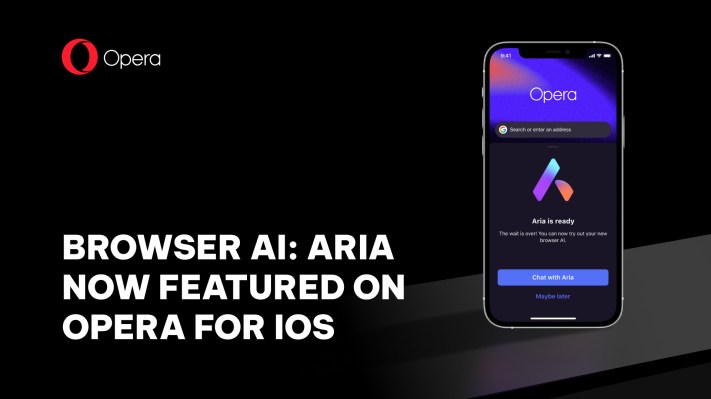
Opera’s iOS web browser gains an AI companion with Aria

Opera’s iOS web browser gains an AI companion with Aria Sarah Perez @sarahintampa / 9 hours

Opera’s web browser app for iOS is getting an AI assistant. The company announced today that Opera for iOS will now include Aria, its browser AI product built in collaboration with OpenAI, integrated directly into the web browser, and free for all users.

The AI solution had previously launched on Opera for desktop and Opera for Android, where it has now topped 1 million users. With the addition of iOS support, Aria is available across all major platforms, including Mac, Windows, Linux, Android and now iOS, the company notes.

Using Aria, however, is up to the individual user. If you want to experience the AI service, you can opt in — it’s not forced on everyone. After doing so, Aria will provide various intelligent insights and ideas, and responsive voice commands. Users will also have to log into their Opera account to use Aria. If they don’t have one, they can create an account from the app.

Aria itself is based on Opera’s own “Composer” infrastructure and connects with OpenAI’s GPT technology. Composer is what will allow Aria to connect to multiple AI models and in the future will expand the AI’s capabilities in search and AI services, including further moves into generative AI and others Opera is planning to unveil at a later date.

Like other AI search companions, Opera on iOS has a chatbot-like interface so you can ask it questions and receive its responses, as an alternative to searching the web for answers. The AI is available from the “more” menu (far right tab on the bottom navigation bar) in the Opera iOS app. You can also speak your questions to Aria by tapping the microphone button instead of typing, if you choose.

After announcing Aria’s 1 million user milestone last month, the company touted how adding AI had impacted its other metrics.

“As encouraging as the initial adoption of Aria has been, we are equally pleased with the quality of the users’ early engagement with the AI tool,” said Opera co-CEO Lin Song at the time. “We are also seeing a lift in total time spent, with increased searches and pageviews per session.”

Aria isn’t the first AI solution from Opera. The company previously pioneered AI Prompts, which allowed users to quickly initiate conversations with generative AI services to shorten or explain articles, generate tweets, or request relevant content based on the highlighted text.

Opera for iOS is a free download and includes other helpful features like built-in ad blocking, a free VPN, tracking prevention, a crypto wallet, private browsing support and more.