OpenAI Unveils Data Partnerships Program to Propel AGI Ambitions

OpenAI has introduced ‘OpenAI Data Partnerships,’ inviting organisations to collaborate in producing both public and private datasets for training AI models. The initiative aims to enhance AI’s understanding of various subjects, industries, cultures, and languages, facilitating the development of AGI, as stated by OpenAI.

The ChatGPT creator is interested in large-scale datasets that reflect human society, encompassing various modalities such as text, images, audio, or video. The focus is on data expressing human intention, including long-form writing or conversations across different languages, topics, and formats.

The company has already partnered with several organisations to incorporate curated datasets into AI training. Notable collaborations include working with the Icelandic Government and Miðeind ehf to enhance GPT-4’s ability to comprehend Icelandic language.

Additionally, OpenAI joined forces with the non-profit organisation Free Law Project, incorporating their extensive collection of legal documents into AI training, aiming to democratize access to legal understanding.

To participate, OpenAI has offered two partnership options to organisations. The first involves creating an open-source dataset for training language models, promoting collaboration within the wider AI community. The second option allows organisations to contribute private datasets, ensuring the confidentiality of sensitive information while enabling OpenAI’s models to gain a deeper understanding of specific domains.

Interestingly, at the first-ever DevDay, OpenAI launched the Copyright Shield program, which aims to provide financial support and legal defense to the enterprise-level users of ChatGPT against such claims.

While unveiling the program, Sam Altman emphasised their efforts to ensure copyright compliance within their AI systems, which are trained on a combination of licensed and publicly available data sources.

The post OpenAI Unveils Data Partnerships Program to Propel AGI Ambitions appeared first on Analytics India Magazine.

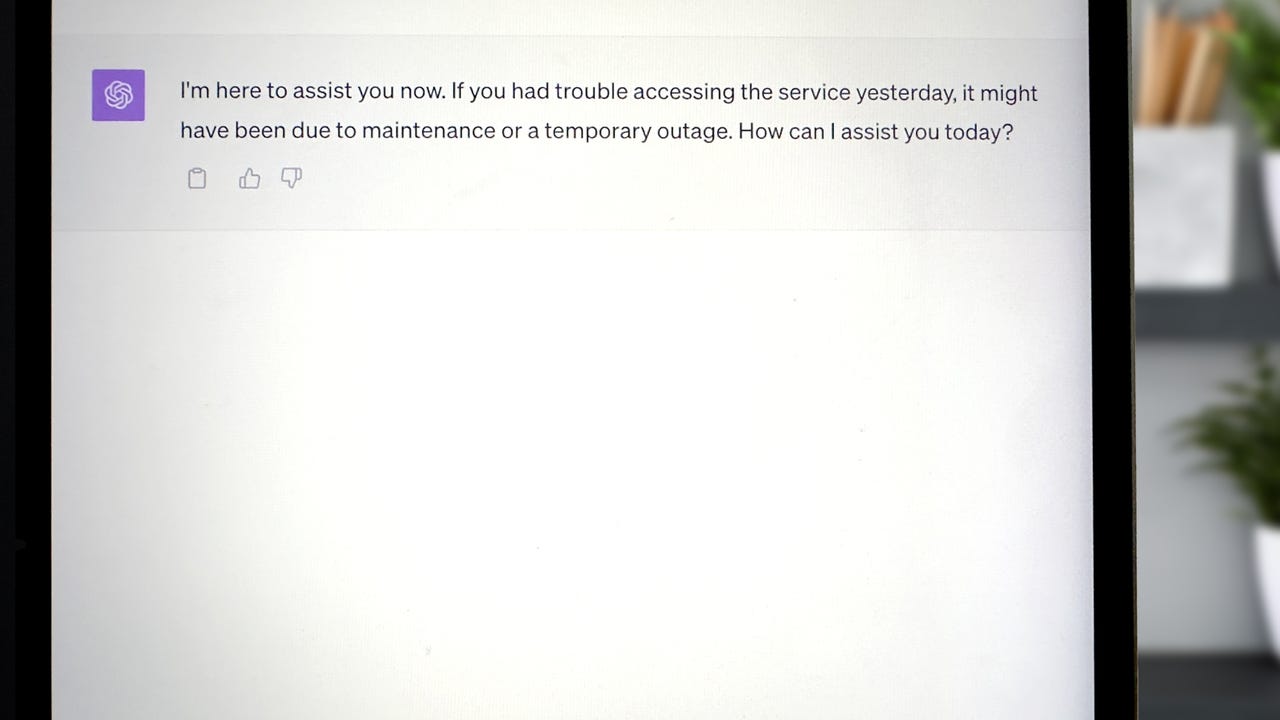
ChatGPT down for you yesterday? OpenAI says DDoS attack was to blame

ChatGPT outage

ChatGPT has become my go-to artificial intelligence tool, taking the spot of Google for searches and Siri for questions on my iPhone. Imagine my surprise yesterday when I went to ask for a better way to describe something and was met with an outage.

OpenAI reported periodic outages yesterday in ChatGPT and the API, later saying that these were due to "an abnormal traffic pattern reflective of a DDoS attack."

Also: OpenAI CEO sees uphill struggle to GPT-5, potential for new kind of consumer hardware

A Distributed Denial of Services (DDoS) attack is carried out by malicious actors intentionally flooding the bandwidth of a target, in this case, overwhelming the servers ChatGPT operates on with a flood of traffic. Since an overload of traffic is known to overwhelm ChatGPT's servers, it's no surprise that hackers would resort to a DDoS attack to disrupt its service.

The latest update informing users of a DDoS attack came last night at 7:49 p.m. PST, and it appears ChatGPT is up and running as usual today.

This cyber attack comes on the heels of OpenAI's Dev Day, the company's first developer conference on Monday.

Also: How to use ChatGPT Plus: From web browsing to plugins

Just yesterday, OpenAI made 16 GPTs available for many paid Enterprise and Plus subscribers. These customized chatbots can perform specific tasks like a Sous Chef to come up with recipes with ingredients in your fridge or a Coloring Book Hero to create coloring pages from your prompts.

Artificial Intelligence

GitLab expands its AI lineup with Duo Chat

GitLab expands its AI lineup with Duo Chat Frederic Lardinois @fredericl / 9 hours

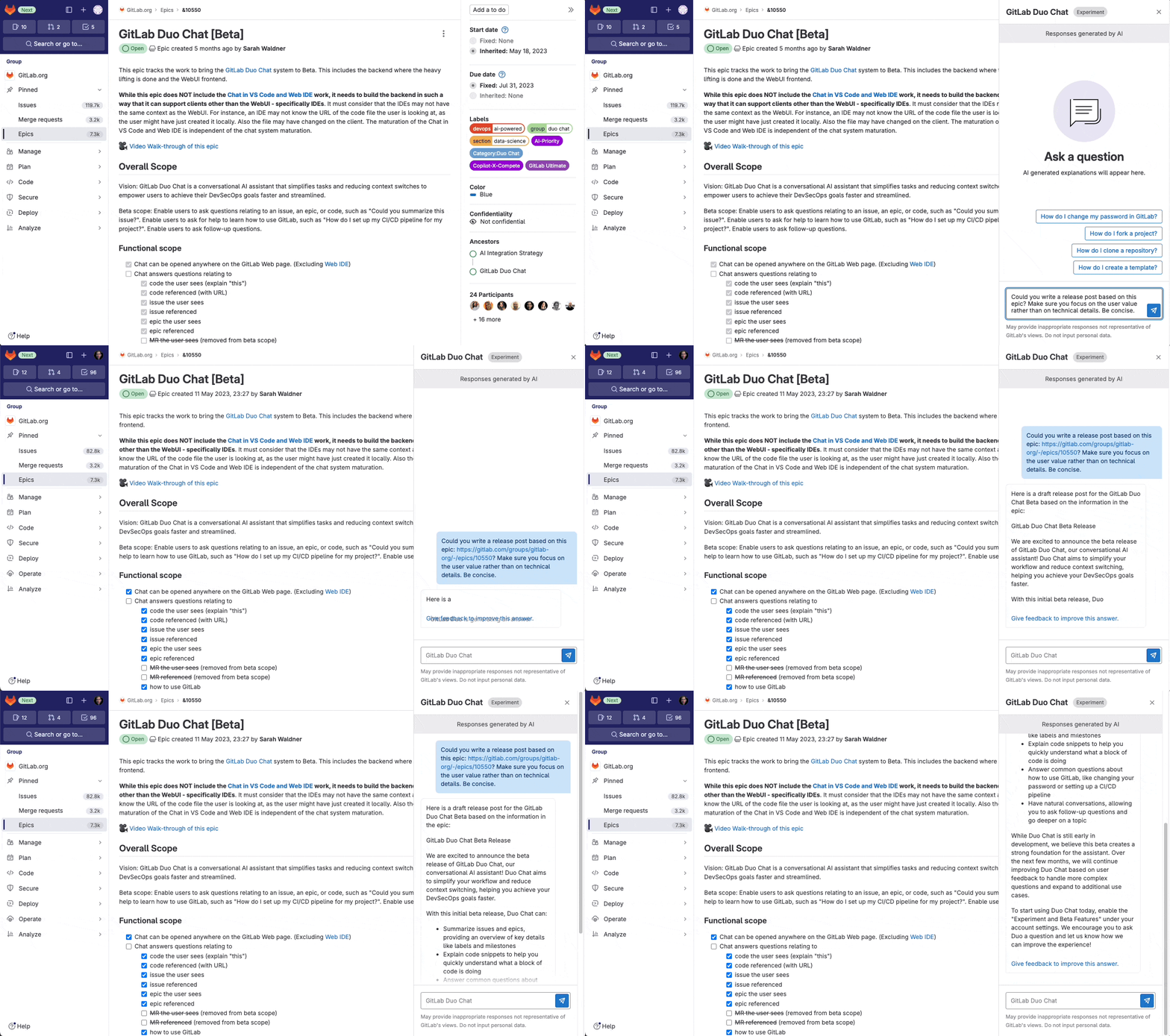
Earlier this year, GitLab unveiled Duo, a set of AI features that aim to help developers be more productive by summarizing issues and generating descriptions of epics and issues, as well as through code suggestions and vulnerability explanations, among other features. Today, the company added Duo Chat to this lineup, a ChatGPT-like experience that allows developers to interact with the bot to access the existing Duo features, but in a more interactive experience. Duo Chat is now in beta.

During an interview at KubeCon earlier this week, David deSanto, GitLab’s Chief Product Officer, told me that the idea here is to move many of the existing Duo capabilities into chat between this first beta and the GA launch.

Image Credits: GitLab

DeSanto, who is increasingly becoming the public face of the company, also noted that GitLab moved its chat backend to Anthropic’s Claude. That may come as a bit of a surprise, given that GitLab partnered with Google for other AI features, including its code completion service. “We had not chosen [a model] for chat,” deSanto told me. “We were using our own model — an open source model — and we determined that based on the way chat works within GitLab and the large context that’s needed, a 100k context window makes it a lot easier to get better information in and back.”

He also noted that GitLab is partnering with Oracle for cloud-based GPUs. “We’re cloud-agnostic. We’re going to find the best and all three of them [Google, Oracle and Anthropic] actually worth with each other through us, so it’s been a good relationship.

Right now, in addition to more general code-related chat capabilities, features like ‘explain this code’ and code refactoring are available in Duo Chat. Test case generation, vulnerability explanation and other features will follow soon.

DeSanto noted that over the course of testing these features, it became increasingly clear how important context is for getting the best results in this chat experience. One advantage GitLab has over some other players in this field is that it can access all of your code, even if it’s not currently open in the IDE. In addition, these larger context windows make it easier to keep track of previous conversations.

One interesting observation the team had while watching developers use the tool during the closed preview period was that experienced developers don’t always love code suggestions because they can become noisy. Instead, they prefer to access these AI tools through Duo Chat.

“I thought that chat would be a lot more for associated developers but it seems like they want the inline code completion — and then senior developers gravitate more to code generation in chat,” deSanto said. “The reason was noise. They said: I know what I’m typing. I don’t need you to tell me. But they do maybe want some guidance or some refactoring, for example.”

GitLab’s new security feature uses AI to explain vulnerabilities to developers

Andrew Ng Launches New Free Course on Vector Database for LLMs

Andrew Ng, the godfather of deep learning, has come up with “Vector Databases: from Embeddings to Applications”, a new free course on vector databases, their applications, and how they can be used to develop generative AI applications without training or fine-tuning an LLM.

Vector databases play a crucial role in various fields, such as natural language processing, image recognition, recommender systems, and semantic search, and their importance has grown with the increasing adoption of LLMs. They provide LLMs with access to real-time proprietary data, enabling the development of Retrieval Augmented Generation (RAG) applications.

At their core, vector databases rely on embeddings to capture the meaning of data and determine the similarity between different pairs of vectors. The course aims to help learners gain the knowledge to make informed decisions about when to apply vector databases to their applications.

The key topics that will be covered in this course include using vector databases and LLMs to gain deeper insights into data, building labs that demonstrate how to form embeddings using various search techniques to find similar embeddings and exploring algorithms for fast searches through vast datasets and building applications ranging from RAG to multilingual search.

Hallucinations in LLMs have been a persistent issue causing inaccurate and misleading outputs. Researchers have been exploring various solutions to address this problem, but the use of vector databases has shown promise in reducing the risk of hallucination.

Read more: Andrew OG of AI

The post Andrew Ng Launches New Free Course on Vector Database for LLMs appeared first on Analytics India Magazine.

ChatGPT is Down Due to DDoS Attack

OpenAI is Likely To Pull the Plug on ChatGPT

OpenAI said ChatGPT is currently facing periodic outages caused by an unusual surge in traffic, indicating a possible DDoS attack. Efforts are underway to address and mitigate this issue, as reported on OpenAI’s status page.

FYI: We are dealing with periodic outages due to an abnormal traffic pattern reflective of a DDoS attack. We are continuing work to mitigate this.
Follow along: https://t.co/0jqsOtchMQ
The team is working very hard to stabilize right now!

— Logan.GPT (@OfficialLoganK) November 9, 2023

A distributed denial-of-service (DDoS) attack is a malicious attempt to disrupt the normal traffic of a targeted server, service or network by overwhelming the target or its surrounding infrastructure with a flood of Internet traffic.

Recently, OpenAI has been experiencing an issue resulting in high error rates across the API and ChatGPT. It experienced a service outage starting just before 9 AM ET / 6 AM PT on Wednesday, lasting for over 90 minutes, rendering it inaccessible during this period.

The recent service disruption occurred after OpenAI’s first developer conference- DevDay, where they released their latest advanced AI model, GPT-4 Turbo. Additionally, OpenAI introduced a feature enabling users to personalise their ChatGPT experience.

ChatGPT is down and it feels like the old days of when the Internet would go out at the office or Gmail was down. Sorry, can't work today.

— Joanna Stern (@JoannaStern) November 8, 2023

Earlier, OpenAI chief Sam Altman posted on X that new features from DevDay are far outpacing our expectations. While the initial plan was to launch GPTs for all subscribers on Monday, there has been a slight delay. He further cautioned users about potential service instability in the short term due to increased load, apologizing for any inconvenience caused.

usage of our new features from devday is far outpacing our expectations.
we were planning to go live with GPTs for all subscribers monday but still haven’t been able to. we are hoping to soon.
there will likely be service instability in the short term due to load. sorry :/

— Sam Altman (@sama) November 8, 2023

This outage might affect several businesses which are using OpenAI’s APIs. According to OpenAI’s chief technology officer, Mira Murati, the platform is now utilised by over 92% of Fortune 500 firms, a notable increase from the 80% reported in August.These companies represent diverse sectors including finance, law, and education.

The post ChatGPT is Down Due to DDoS Attack appeared first on Analytics India Magazine.

5 Step Blueprint to Your Next Data Science Problem

5 Step Blueprint to Your Next Data Science Problem
Image by fanjianhua on Freepik

One of the major challenges companies deal with when working with data is implementing a coherent data strategy. We all know that the problem is not with a lack of data, we know that we have a lot of that. The problem is how we take the data and transform it into actionable insights.

However, sometimes there is too much data available, which makes it harder to make a clear decision. Funny how too much data has become a problem, right? This is why companies must understand how to approach a new data science problem.

Let’s dive into how to do it.

Crafting the Perfect Problem Statement

Before we get into the nitty-gritty, the first thing we must do is define the problem. You want to accurately define the problem that is being solved. This can be done by ensuring that the problem is clear, concise and measurable within your organization's limitations.

You don’t want to be too vague because it opens the door to additional problems, but you also don’t want to overcomplicate it. Both make it difficult for data scientists to translate into machine code.

Here are some tips:

  • The problem is ACTUALLY a problem that needs to be further analyzed
  • The solution to the problem has a high chance of having a positive impact
  • There is enough available data
  • Stakeholders are engaged in applying data science to solve the problem

Choosing Your Direction

Now you need to decide on your approach, am I going this way or am I going that way? This can only be answered if you have a full understanding of your problem and you have defined it to the T.

There are a range of algorithms that can be used for different cases, for example:

  • Classification Algorithms: Useful for categorizing data into predefined classes.
  • Regression Algorithms: Ideal for predicting numerical outcomes, such as sales forecasts.
  • Clustering Algorithms: Great for segmenting data into groups based on similarities, like customer segmentation.
  • Dimensionality Reduction: Helps in simplifying complex data structures.
  • Reinforcement Learning: Ideal for scenarios where decisions lead to subsequent results, like game-playing or stock trading.

The Quest for Data Quality

As you can imagine, for a data science project you need data. With your problem clearly defined and you have chosen a suitable approach based on it, you need to go and collect the data to back it up.

Data sourcing is important as you need to ensure that you gather data from relevant sources and all the data that you collect needs to be organized in a log with further information such as collection dates, source name, and other useful metadata.

Keep something in mind. Just because you have collected the data, does not mean it is ready for analysis. As a data scientist, you will spend some time cleaning the data and getting it in analysis-ready format.

Delving into Analytical Depths

So you’ve collected your data, you’ve cleaned it up so it’s looking sparkly clean, and we’re now ready to move on to analyzing the data.

Your first phase when analyzing your data is exploratory data analysis. In this phase, you want to understand the nature of the data and be able to pick up and identify the different patterns, correlations and possible outliers. In this phase, you want to know your data inside and out so you don’t come across any shocking surprises later on.

Once you have done this, a simple approach to your second phase of analyzing the data is to start with trying all the basic machine learning approaches as you will have to deal with fewer parameters. You can also use a variety of open-source data science libraries to analyze your data, such as scikit learn.

Deciphering the Data Story

The crux of the entire process lies in interpretation. At this phase, you will start to see the light at the end of the tunnel and feel closer to the solution to your problem.

You may see that your model is working perfectly fine, but the results do not reflect your problem at hand. A solution to this is to add more data and try again until you are satisfied that the results match your problem.

Iterative refinement is a big part of data science and it helps ensure data scientists do not give up and start from scratch again, but continue to improve what they already have built.

Conclusion

We are living in a data-saturated landscape, where companies are drawing in data. Data is being used to attain a competitive edge, and are continuing to innovate based on the data decision-making process.

Going down the data science route when refining and improving your organisation is not a walk in the park, however, organisations are seeing the benefits of the investment.

Nisha Arya is a Data Scientist and Freelance Technical Writer. She is particularly interested in providing Data Science career advice or tutorials and theory based knowledge around Data Science. She also wishes to explore the different ways Artificial Intelligence is/can benefit the longevity of human life. A keen learner, seeking to broaden her tech knowledge and writing skills, whilst helping guide others.

More On This Topic

  • How To Structure a Data Science Project: A Step-by-Step Guide
  • A Guide On How To Become A Data Scientist (Step By Step Approach)
  • Multilabel Document Categorization, step by step example
  • A Step-by-Step Guide to Web Scraping with Python and Beautiful Soup
  • Step by Step Building a Vacancy Tracker Using Tableau
  • Text-2-Video Generation: Step-by-Step Guide

AVCLabs Photo Enhancer AI Review: The Best Photo Enhancer?

AVCLabs Photo Enhancer AI is making waves in AI photo enhancement and image upscaling with its advanced AI technology. This incredible tool can magically enhance blurry photos, providing increased resolution, image clarity, and accurate color correction. But is AVCLabs Photo Enhancer AI the best image enhancer on the market?

This AVCLabs Photo Enhancer AI review will teach you about AVCLabs, its best uses, and key features. It has multiple AI tools to help enhance, sharpen, and remove noise from your photos, plus the option to adjust brightness, contrast, and saturation.

From there, I will show you how I used AVCLabs to turn a blurry image of a mountain into a stunning, high-resolution image. I'll discuss the pros and cons I've identified and finish things off with the best AI photo enhancer alternatives I've tried.

My goal is that by the end of this article, you'll clearly understand AVCLabs Photo Enhancer AI and whether or not it is the best photo enhancer for your needs. Let's take a look!

What is AVCLabs Photo Enhancer AI?

The AVCLabs Photo Enhancer landing page.

AVCLabs Photo Enhancer AI is an easy-to-use photo enhancer that uses deep learning to enhance image resolution by up to 400%. It has been extensively trained in various images like portraits, wildlife, landscapes, architecture, etc.

Besides AI upscaling, the AVCLabs photo enhancer also has an AI denoiser, color calibrator, background remover, colorizer, face enhancer, and more to improve your photos in various ways. It's also compatible with Windows and Mac operating systems, making it widely accessible.

What sets AVCLabs apart from other AI photo enhancers is the technology behind it. It uses AI face recognition to identify human faces accurately and uses deep learning to upscale, sharpen, and denoise images with the highest accuracy. Its AI algorithms are so well-trained that there is virtually no need for any touchups.

Besides photo enhancement, AVCLabs also offers other useful AI tools that are worth noting, like the AVCLabs video enhancer, photo editor, and more.

What Images is AVCLabs Photo Enhancer Best For?

AVCLabs is a wonderful enhancer for all types of photos, but here are some specific types of images that AVCLabs Photo Enhancer AI excels at enhancing:

  • Anime: AVCLabs Photo Enhancer AI is particularly well-suited for enhancing anime images. With its advanced artificial intelligence technology, AVCLabs can accurately identify the unique characteristics of anime art styles and improve them to bring out more details, vibrant colors, and sharper lines.
  • Portraits: AVCLabs Photo Enhancer AI excels at enhancing portraits. Its AI face recognition technology enables it to identify and enhance human faces in photos accurately. Whether you have a professional portrait or a casual selfie, AVCLabs can improve facial details, remove imperfections, and enhance skin tones for a more polished look.
  • Landscapes: If you love capturing breathtaking landscapes, AVCLabs Photo Enhancer AI is the perfect tool to enhance those images. Its deep learning algorithms analyze the different elements of a landscape photo, such as the lighting, colors, and textures, to bring out the finest details and create a more vibrant and immersive experience.
  • Wildlife: AVCLabs Photo Enhancer AI is an excellent choice for enhancing wildlife images. Its advanced artificial intelligence technology can accurately identify and enhance the intricate details of animals in photographs. From the fine textures of fur or feathers to the vibrant colors of nature, AVCLabs can bring out the true beauty of wildlife in your images.
  • Products: AVCLabs Photo Enhancer AI is not limited to enhancing faces, landscapes, and wildlife. It can also be a valuable tool for improving product images. AVCLabs can analyze the different elements of your product images, such as lighting, colors, and textures. It can enhance the sharpness and clarity of your products, making them look more appealing to potential customers and increase sales.
  • Wedding Photos: AVCLabs Photo Enhancer AI is an excellent choice for enhancing wedding photos. From enhancing soft pastel tones to bringing out the vibrant hues of the floral arrangements, AVCLabs can make your wedding photos genuinely captivating. Intricate details can also be enhanced with precision, ensuring every moment has stunning clarity.

Key Features of AVCLabs Photo Enhancer AI

Here are the key features that come with AVCLabs Photo Enhancer AI:

  • AI Upscaler: Turn low-resolution photos into ultra-high-definition while recovering genuine detail for the best AI image quality.
  • AI Denoiser: Remove noise and grain from an image in a single click to make your pictures look sharper.
  • AI Color Calibration: Improve the natural color rendition and contrast of your photos with a single click.
  • AI Background Remover: Remove the background instantly to make it transparent.
  • AI Colorizer: Colorize old black-and-white photos and automatically add authentic, natural colors.
  • Create a Workflow: Select multiple features to create a workflow you can easily access and apply to your photos instantly.
  • Standard Processing: Process your images faster with a lower level of enhancement
  • Ultra Processing: Process your images with a higher resolution.
  • Face Refinement: Enhance the facial features in photos, which automatically smooths out skin imperfections and reduces blemishes.
  • Image Settings: Adjust the brightness, saturation, and contrast.
  • Batch Processing: Enhance multiple photos at once.

How to Enhance Photos with AVCLabs AI

Now that we've explored the key features of AVCLabs Photo Enhancer AI, here's how to enhance photos using this powerful tool:

  1. Download the AVCLabs Photo Enhancer
  2. Upload a Photo
  3. Choose an AI Feature
  4. Select Your Output Settings
  5. Preview Your Photo
  6. Process Your Photo

Step 1: Download the AVCLabs Photo Enhancer

Downloading the AVCLabs AI Photo Enhancer.

I started by going to AVCLabs Photo Enhancer and selecting download for Windows since I am using a Windows computer. Select the download option for Mac if you are using an Apple computer.

You will get a free trial of AVCLabs, with full access to all the features, but images will be saved with a watermark.

Selecting continue to continue with the AVCLabs free trial.

To remove watermarks from images, you must buy a license, which you can do when downloading the software. I just wanted the free trial, so I hit “Continue.”

Step 2: Upload a Photo

Selecting Try Samples using AVCLabs Photo Enhancer.

I could then drag and drop or click to open a photo file to start enhancing. You can also try the samples AVCLabs offers, which is the route that I took. Off the bat, I was impressed by how simple the interface was.

AVCLabs guiding the user through the platform.

After selecting “Try Samples,” AVCLabs took me through a guide of the platform, which is nice, especially for new users. It'll tell you exactly how to use it, or you can close the guide altogether.

Step 3: Choose an AI Feature

Selecting the AI Upscaler from the Feature List in AVCLabs Photo Enhancer.

In the right panel, I started by selecting the sample photo I wanted to experiment with at the bottom and chose the mountain picture. Since this photo's quality looks pretty bad, I chose the AI Upscaler from the Feature List on the top right.

Selecting the Ultra Model setting using AVCLabs Photo Enhancer.

In the Model Settings, I could select Standard or Ultra. I went with Ultra for the highest level of enhancement. The processing time may take longer with Ultra, but I wanted to see the best possible results. I ignored checking off “Face Refinement” since this photo doesn't have any faces in it.

AVCLabs also allows you to adjust your photos' brightness, saturation, and contrast, which is nice. I kept these on their default settings, but feel free to adjust them to your liking.

Step 4: Select Your Output Settings

The Output Settings in AVCLabs Photo Enhancer AI.

In the Output Settings, you can change the size (between 100% to 400%), the format (Preserve Source Format, PNG, JPG, JPEG, or BMP), and the DPI (between 72 and 1500).

I kept these settings on default, and you can do the same if you'd like to see how your photo turns out. You can always repeat this process and tweak things for different results.

Step 5: Preview Your Photo

Selecting the Preview button to see how the image looks with the settings applied.

You may be tempted to hit “Save All,” but before doing so, go to the eyeball icon on the top right to preview the photo with the settings you've applied.

Step 6: Process Your Photo
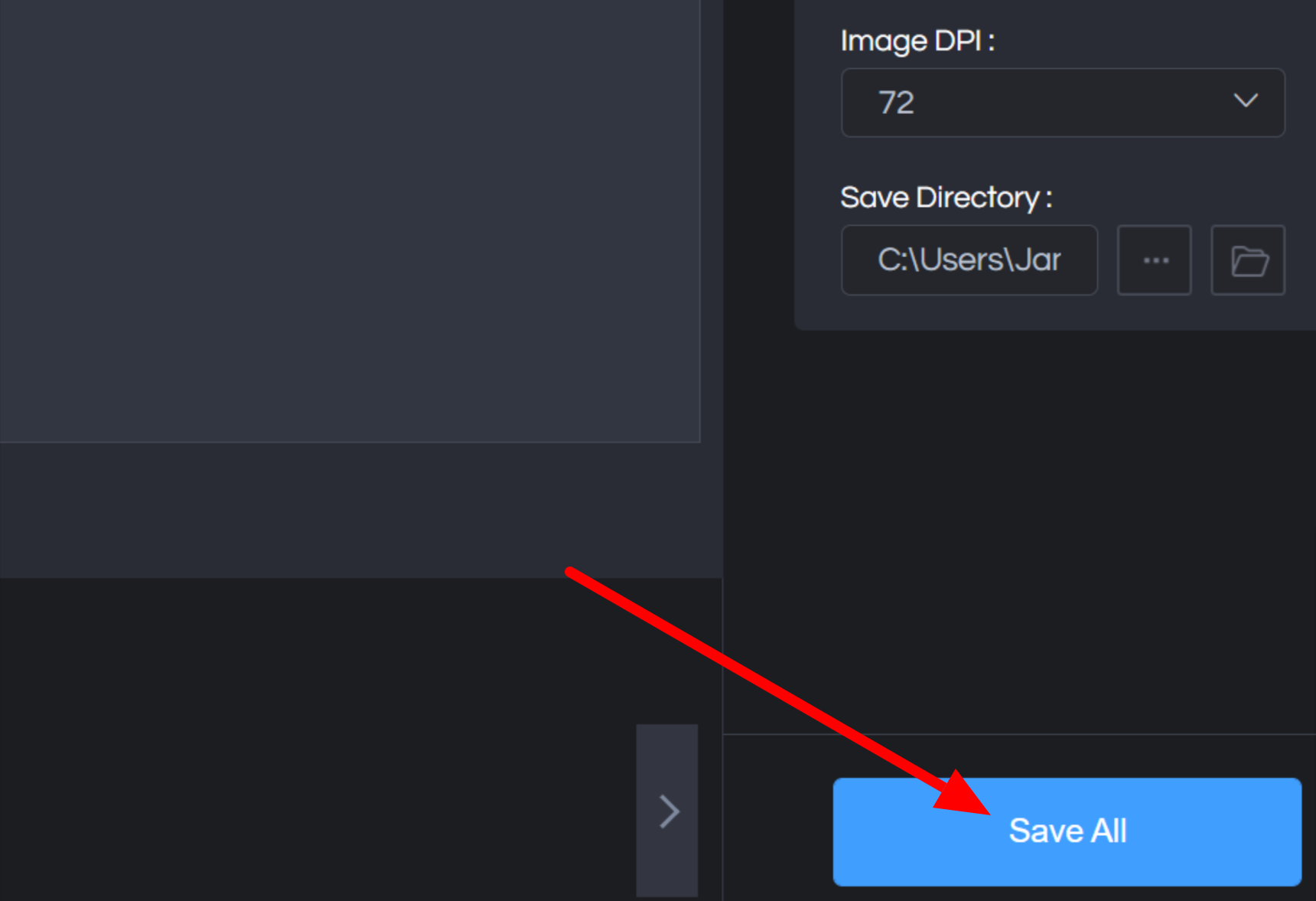
Selecting Save All using the AVCLabs Photo Enhancer.

Once I was happy with everything, I went to “Save All” on the bottom right. This saved my enhanced photos onto my computer.

Remember that these photos will be saved with a watermark if you are on the Free plan. If you'd like to save them without a watermark, purchase a license from AVCLabs.

After a few seconds, my image was processed and saved on my computer. Here is a side-by-side comparison of my picture before and after enhancing it with AVCLabs:

Before and after image of a mountain using the AVCLabs Photo Enhancer AI.

Taking a closer look, we can see how AVCLabs has enhanced the photo by making the mountain look sharper, improving the overall clarity of the mountain:

Close up image of a photo of a mountain before enhancing with AVCLabs Photo Enhancer and after.

Overall, I'm impressed with AVCLabs Photo Enhancer AI. The Ultra AI model brings out the details of the mountain, and the fuzziness of the original image has been significantly reduced.

Feel free to adjust the image settings and experiment with the other AI features to see what else AVCLabs can do!

Pros & Cons of AVCLabs Photo Enhancer AI

Here are the pros and cons I identified after using AVCLabs Photo Enhancer AI.

Pros

  • Available for Windows and macOS.
  • User-friendly interface for all skill levels.
  • There is a wide range of sample images to experiment with.
  • The guide walks you through how to use it.
  • Five different AI tools to enhance photos.
  • Built-in tools to adjust brightness, saturation, and contrast.
  • Increase image size up to 400%.
  • Increase the DPI up to 1500.
  • Export as JPG, JPEG, PNG, and BMP.
  • Fast and accurate results for high quality photos.
  • Save time and money rather than investing in expensive, complicated photo editing software.
  • Ability to preview and crop photos.
  • It supports batch processing to edit multiple photos simultaneously.

Cons

  • Image settings can be somewhat overwhelming and confusing for new users.
  • Some useful features are lacking, like removing scratches from old photos.
  • Images have watermarks on the free version.

AVCLabs Photo Enhancer Alternatives

If AVCLabs Photo Enhancer AI doesn't meet your needs, several alternatives are worth considering. Here are the best options that I've tried.

HitPaw Photo Enhancer
The HitPaw Photo Enhancer landing page.

HitPaw Photo Enhancer is the best AI photo enhancer to make images less blurry without compromising quality.

AVCLabs and HitPaw have a lot of similarities: both are available for Windows and Mac, and both have features like image enhancement, denoising, color calibration, colorizer, batch processing, and preview mode.

However, HitPaw has Scratch Repair, which is lacking with AVCLabs. This restores old photos with scratches and other imperfections. It also has an excellent Face model for portraits with three modes for softer or more professional-looking edits.

I also found that HitPaw was more user-friendly overall. Plus, HitPaw offers the highest image resolution of any AI photo enhancement at 800%.

On the other hand, AVCLabs has more image editing features where you can adjust your image's brightness, saturation, and contrast, which HitPaw does not have. You also get more control over the DPI (Dots Per Inch), ranging from 72 to 1500.

After trying both applications, I would recommend HitPaw for those who prefer a more user-friendly interface, want to restore photos with scratches, and want more enhancement options for portrait photos. If you want an enhancer with commonly used editing features built-in and more control over the amount of DPI your photos have, go for AVCLabs.

Read our HitPaw Review or visit HitPaw.

Icons8

The Icons8 Image Upscaler landing page.

With Icons8, you can upscale up to 500 images simultaneously and enhance them up to 4x online. It only takes seconds, and you can download the photos for free as PNG files with a watermark. If you only need to upscale images occasionally and get full access without the watermark, you can do so for only $0.20 per image!

The biggest downfall with Icons8 is that it lacks a lot of features. It has two features: enlarge your images 4x and remove the background.

If you're looking for an affordable, easy-to-use online photo enhancer to enhance your photos x4 and remove backgrounds, choose Icons8. If you want a photo enhancer with many more features like denoising, color calibration, face refinement, etc., go for AVCLabs!

Deep Image AI

The Deep Image AI homepage.

Deep Image AI is an easy-to-use tool that enhances photos in a few clicks. This application works seamlessly on Windows and Mac computers and can improve images up to 300 megapixels, reduce noise, sharpen, remove backgrounds, and more!

AVCLabs and Deep Image AI are compatible with Windows and Mac computers and can upscale images x4. However, AVCLabs has more AI features like color calibration, colorizer, and face refinement. You can also adjust the image brightness, contrast, and saturation.

If you want more AI features and editing options, go for AVCLabs. If you're looking for a photo enhancer to upscale your images, sharpen them, and remove backgrounds at a more affordable price, choose Deep Image AI!

AVCLabs Photo Enhancer AI Review: My Experience

As someone who has used multiple AI photo enhancers to upscale photos, I am always looking for the latest tools and software to enhance my images to perfection. AVCLabs should not be overlooked!

From the start, I loved how simple and user-friendly the interface was. I tested things out with the samples AVCLabs provided and was happy to see the variety of photos I could experiment with, including portraits, landscapes, anime characters, and more. AVCLabs is an excellent tool for enhancing any photography.

From there, AVCLabs guided me through the features step by step to ensure I didn't feel overwhelmed. I tried its main feature, the AI Upscaler, and was impressed that it effectively reduced the blurriness and enhanced the detail in my mountain photo.

Keeping the settings at default already did the trick, meaning I could enhance my photos in a few clicks without worrying about adjusting every setting. However, if I wanted to adjust further, AVCLabs offered the flexibility to fine-tune the image according to my preferences. I could easily bring out the desired look in my photos with options to adjust brightness, contrast, and saturation.

AVCLabs Photo Enhancer AI offers powerful tools to enhance your photos with ease. Its AI-driven technology ensures that you can enlarge your images without losing quality, correct colors effectively, remove backgrounds seamlessly, and improve the overall appearance of your photos. I'd highly recommend trying the AVCLabs free trial to see how you like it!

Frequently Asked Questions

Is AVCLabs good?

AVCLabs is an excellent AI tool for quickly and easily enhancing photos. The software is user-friendly, offers a range of editing options, and provides a free trial to thoroughly test its capabilities before purchasing.

Does AI photo enhancer work?

Yes, AI photo enhancer technology enhances and improves photos' quality. The success of AI photo enhancers depends on the software algorithm used and the quality of the original image. AVCLabs Photo Enhancer AI, with its advanced artificial intelligence technology, is considered one of the best photo enhancer AI tools available.

Which is the best AI photo enhancer?

HitPaw is the best AI photo enhancer overall based on the AI photo enhancers I've tried. It's the most user-friendly and does the best job of enhancing blurry photos.

However, AVCLabs is also an excellent AI photo enhancer, providing a wide range of editing options and delivering impressive results in color correction, background removal, and overall photo enhancement. It's worth considering if you're looking for a reliable AI photo enhancer.

What is the free AI to enhance picture quality?

Most AI photo enhancers like AVCLabs offer a free trial to enhance picture quality.

Meta to Launch Llama 3 Early Next Year

Meta to Launch Llama 3 Early Next Year

Meta’s Llama 2 is no short of a success for open source. Now, the company is ready to launch the next version of it as soon as the first quarter of 2024.

According to sources, Meta will launch Llama 3 early next year. The best part about it is that it is going to be open source for research and commercial use as well. Meta has also highlighted that it should be deployed responsibly, and the company will frame policies and mechanisms to use it ethically and responsibly.

Moreover, Meta has also partnered with Dell to offer Llama 2 on-premises for enterprise users for ensuring more control and security over personal data.

Interestingly, Mark Zuckerberg, in his latest podcast with Lex Fridman in the metaverse, said that Meta might have to reconsider if it is going to open source the next iteration of Llama, which is Llama 3. “Right now, the priority is building that into a bunch of consumer products,” said Zuckerberg.

But now, it seems like Meta wants to go the open source way again.

In the podcast, Zuckerberg added that Meta trained Llama 2 and released it as an open source, but it is not a consumer product, but just an AI infrastructure. Though Zuckerberg is all about open sourcing AI and loves what the community has been doing with Llama 2, when it comes to Llama 3, he said that the debate with Fridman was very helpful for open sourcing Llama 2, and the same would be needed for Llama 3.

“We would need a process to red team this, and make it safe. My hope is that we would be able to open source the next version when it is ready to, but we are not close to doing that this month. It’s a thing that we are still early in work now,” said Zuckerberg. This time, Llama 3 might even be better than GPT-4.

Given all the debates about AI policies and the recent Biden order on regulating AI, a user on Reddit says, “All they need to do is make it 180B and most people will have no way to abuse it.”

The post Meta to Launch Llama 3 Early Next Year appeared first on Analytics India Magazine.

NVIDIA RTX Brings Alan Wake 2 to Life

Alan Wake 2 Showcases the NVIDIA RTX Prowess

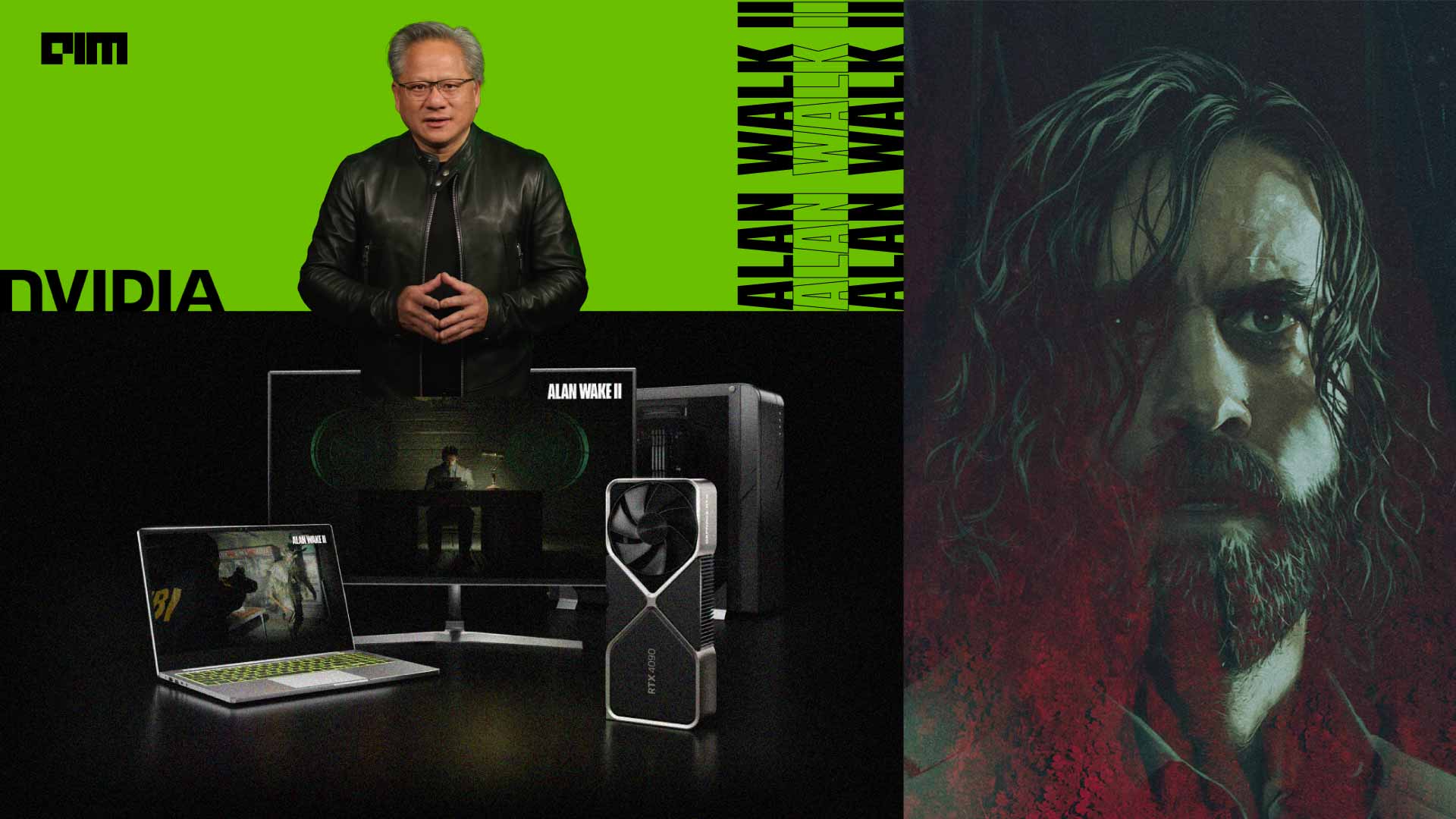
Alan Wake 2, the latest game developed by Remedy Entertainment is finally here, and it is no short of a beautiful marvel. And beyond a doubt a lot of it is a wonder that can only be experienced using an NVIDIA GPU, taking its full advantage.

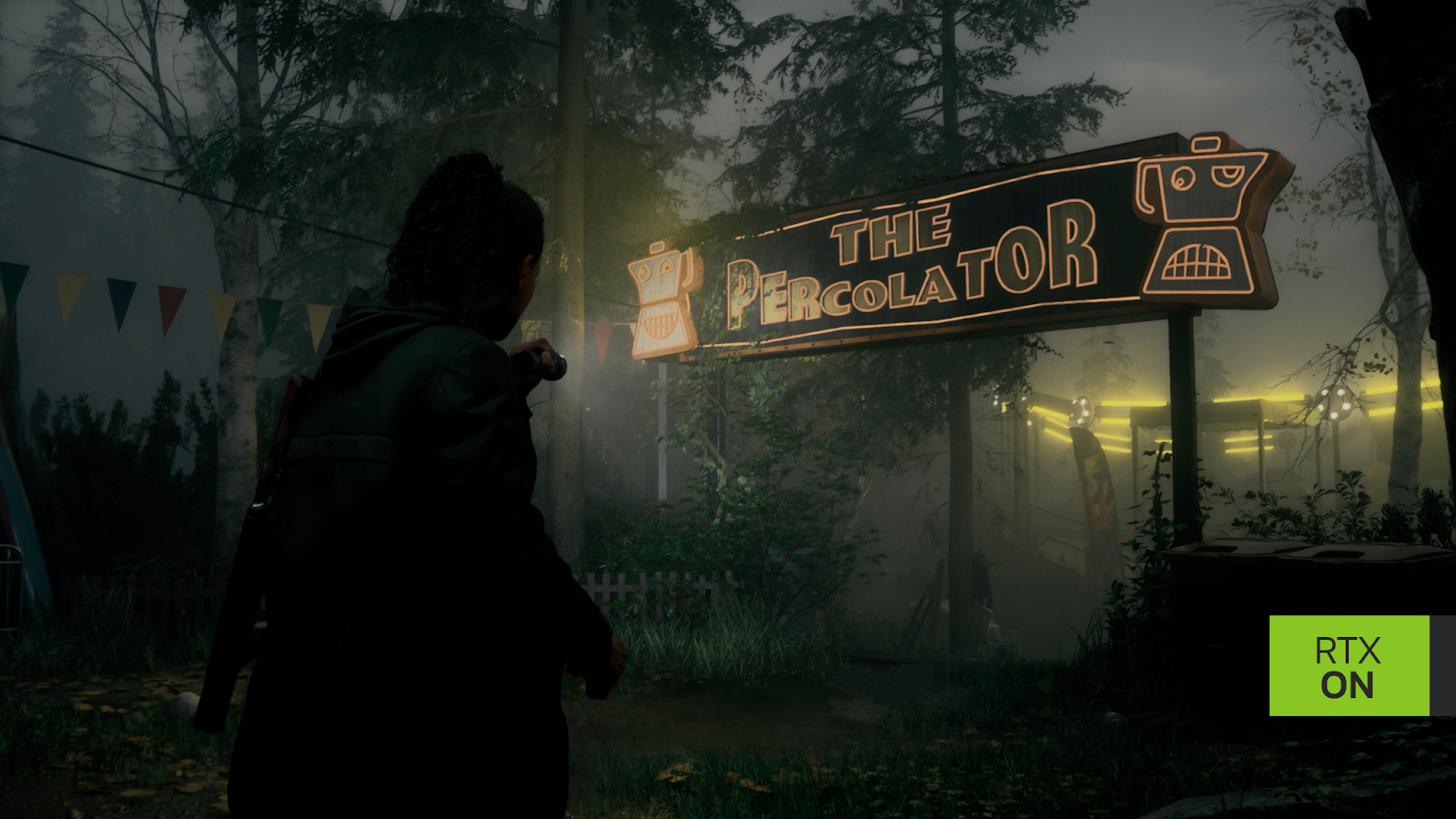
Alan Wake 2 introduces gamers to a world where fully ray-traced graphics have reached new heights, all thanks to the NVIDIA GeForce RTX 40 Series GPUs. Players embark on a journey to explore two beautifully crafted yet terrifying worlds, seeking to unravel the mysteries of a supernatural darkness that has trapped the titular character in a never-ending nightmare.

The game’s full ray-traced, path-traced visuals are a visual masterpiece, combining ray-traced lighting, reflections, and shadows into a unified, breathtaking solution. The result is an unparalleled level of realism and immersion, creating visuals that redefine the gaming experience.

Even if you don’t have a high-end GeForce RTX PC or laptop, you can still enjoy Alan Wake 2 through NVIDIA GeForce NOW Ultimate. This cloud gaming service allows you to stream the game with the same technologies as GeForce RTX 40-Series owners, including DLSS 3.5 and Reflex. With over 1,700 games available, you can play Alan Wake 2 and many other PC titles on a wide range of devices.

“The new Ray Reconstruction feature in DLSS 3.5 renders our fully ray-traced world more beautifully than ever before, bringing you deeper into the story of Alan Wake 2,” says Tatu Aalto, Lead Graphics Programmer at Remedy Entertainment.

Match made in gaming heaven

Until the introduction of NVIDIA’s GeForce RTX GPUs with RT Cores and the AI-powered acceleration of DLSS, real-time full ray tracing in video games was an impossible dream.

Transparent and opaque reflections meticulously recreate their surroundings at full resolution, immersing players in the game world. Indirect and direct light bounces up to three times, while techniques such as Screen Space Reflections, Screen Space Ambient Occlusion, and rasterized Global Illumination are unified into a single algorithm, resulting in naturally lit environments with exceptional detail and realism.

To provide the definitive gaming experience, Alan Wake 2 incorporates the complete suite of DLSS technologies, designed to maximise frame rates and image quality using AI. Super Resolution accelerates frame rates for all GeForce RTX gamers. Frame Generation boosts performance on GeForce RTX 40 Series GPUs by up to 4.5 times.

Cyperpunk 2077 also recently started using DLSS 3.5. Apart from this, other Remedy games such as Quantum Break and Control have also been working flawlessly with the help of previous versions of DLSS.

Reflex minimises system latency, enhancing gameplay responsiveness. And the groundbreaking Ray Reconstruction replaces multiple hand-tuned ray tracing denoisers with a unified AI model, taking ray-traced effects and full ray tracing to new heights.

Activating ray tracing and DLSS in Alan Wake 2 on a GeForce RTX GPU automatically enables Ray Reconstruction. This feature replaces two denoisers with a unified AI model, enhancing the quality of ray tracing and making the game more immersive and realistic. In addition to these benefits, Ray Reconstruction runs up to 14% faster in benchmarks, further boosting performance for GeForce RTX gamers.

Northlight shines

The development team behind Alan Wake 2, known as Northlight, has introduced several exciting new technologies and tools to enhance the game’s performance and visual quality.

One of them is the Data-Oriented Game Object Model, based on an entity component system (ECS), which optimises memory efficiency and enables efficient parallel execution.

This change allows the game engine to support a varying number of hardware cores efficiently, resulting in more dynamic and expansive game worlds. ECS also played a crucial role in simplifying the creation of the Scattering tool for mass-authoring vegetation, making the development process more efficient.

Moreover, the game’s non-player characters (NPCs) now utilise animation-driven movement combined with distance-based Motion Matching, a new system that improves movement quality and provides more control over animation usage. This change results in more realistic NPC movements and contributes to the game’s overall immersion.

The wind system is built on Signed Distance Fields (SDF) methods and employs wind boxes to create a realistic and smoothly varying wind strength field between indoor and outdoor areas.

Northlight has transitioned from a proprietary scripting language to Luau, an embeddable scripting language derived from Lua. Luau exposes a comprehensive set of engine functionality and supports live editing, making it a versatile tool for level scripting and gameplay systems.

The adoption of Luau empowered the game team to prototype and implement various game features and visual effects without requiring assistance from engine programmers.

Leveraging the power of NVIDIA’s RTX 40 Series GPUs, Alan Wake 2 delivers unparalleled visuals, thanks to full ray tracing and DLSS 3.5. Whether you’re playing on a high-end PC or experiencing it through GeForce NOW, Alan Wake 2 offers a captivating and visually stunning adventure that sets new standards in the gaming industry.

The post NVIDIA RTX Brings Alan Wake 2 to Life appeared first on Analytics India Magazine.

AI + No-Code: The Viral Combo Redefining Developer Innovation

AI + No-Code: The Viral Combo Redefining Developer Innovation
Image generated using DALLE-3

Time is of the essence for organizations in today’s dynamic, digital world, and developers are facing increasing pressure to implement new applications and develop code quicker than ever before, often with limited internal resources.

As companies explore new ways to increase developer productivity and operations, low code/no code tools have grown in popularity as the tools offer benefits for citizen developers with little to no coding experience, as well as senior developers looking to gain back valuable time and effort. To help spark and encourage developer innovation, low code/no code platforms that are backed by artificial intelligence (AI) promote faster development times and increased business agility while providing developer teams with the tools and support needed to innovate quickly and more often.

Expand the population of people who can build software systems and promote flexibility

Developer teams across the globe are facing limitations, with market intelligence firm IDC predicting the global shortage of full-time developers will increase to 4 million in 2025, less than two years from now. With that in mind, companies should look to utilize their entire team when it comes to development, even those with limited experience in coding.

Low-code/no-code application program interfaces (APIs) solutions offer a valuable tool for teams with limited resources and different skill sets to speed up the innovation process and implement solutions and features at a faster pace. With these APIs, non-IT professionals like junior product managers or business analysts can develop a basic prototype, expanding the number of people in an organization that can build software systems.

Many companies today use customer engagement solutions that operate in natural language and utilize AI along with low-code/no-code tools, ultimately creating more intelligent, personalized, and automated conversations with customers on their preferred communications channel.

Additionally, low-code/no-code tools are not just for citizen developers but also for more advanced senior developers, enabling even the most senior developer to rapidly iterate on innovations and freeing up time to focus on building higher code solutions. Utilizing these tools lessens the pressure on limited developer teams so that, with basic technical skills and minimal training, implementations can be faster and easier across the board. The automation that low code/no code and AI provides allow for teams to address more pressing issues across the board.

Implementing low-code/no-code also promotes flexibility within a working environment and can help address talent shortages by creating an auxiliary arm of a developer team. In addition to mitigating talent shortages, low-code/no-code tools improve a business' agility and contribute to cost savings by significantly reducing hiring costs and application maintenance costs.

Take advantage of a new alternative to build vs. buy

Low-code/no-code platforms help expand an organization’s ability to rapidly develop new solutions, offer a better alternative to build vs. buy, and provide companies with the ability to avoid having to build out their own AI solutions (like conversational AI capabilities).

When a company purchases a solution, it’s often limited and can restrict a team to that one solution’s implementation capabilities. Teams are also forced to spend significant time finding other solutions that are able to work with the one purchased to make up for any missing needs. Buying can be a far more rigid process, may only partially be what a company needs to help a team of developers work more efficiently, and usually ropes a company into a long-term commitment. Alternatively, building is challenging if a team is already strapped for time and resources, and can be difficult to do successfully from the ground up. By choosing to build, a company has an increased risk of failure because what it builds might not work or requirements could change, causing the whole team to start over.

Low-code/no-code APIs offer a far more customizable, powerful and simple solution. These tools can be more tightly integrated with what developers are trying to create and help fill in gaps for the features that don’t require high code knowledge.

Time is the one thing a developer can never get back

For developers, time is one of the most valuable aspects of the work they do, so taking advantage of tools that decrease implementation time and help avoid boilerplate is crucial. Low-code/no-code allows teams of varying skills to implement basic features quickly to address a need while providing the adaptability to redesign down the line if needed. By avoiding early, high code development that pressures organizations to make decisions immediately that are difficult to change when necessary at a later time, teams can gain back time with a low code/no code solution and transition to a more complex solution with higher code after a successful proof of concept.

Successfully leveraging low-code/no-code and AI across an enterprise

Selecting the right low-code/no-code tools is a critical step as they are not one size fits all, and organizations should choose tools that are easiest to use for both the developers and non-developers on a team and that are easily augmented with AI capabilities. A platform’s adaptability and flexibility must also be considered since the platform should not only fit the needs of the team now but also in the future should projects change. Make sure the platform is also scalable, reliable, and is one that will fit seamlessly into the existing technology stack without issue. Checking all these boxes when choosing a low-code/no-code platform that utilizes AI is essential to successfully leveraging all the benefits.

Savinay Berry is the Executive Vice President of Product and Engineering at Vonage.

More On This Topic

  • Top 18 Low-Code and No-Code Machine Learning Platforms
  • 25 Github Repositories Every Python Developer Should Know
  • On-device AI with Developer-Ready Software Stacks
  • Software Developer vs Software Engineer
  • Learn Data Science and Business Analytics to Drive Innovation and Growth
  • AI Industry Innovation: Making the Invisible Visible