6 Silicon Valley Moments Relatable in Generative AI Era

Silicon Valley, the Mecca for techies, looks tempting since the media often glorifies and turns startups and their founders into rockstars. However, Mark Judge’s 2000s show revealed the gritty reality for first-time viewers through a team of six, including CEO Richard Hendricks of Pied Piper.

The plot begins with Hendricks giving up his cushy job at a big tech company called Hooli to make it out on his own. The companies battle to ‘save humanity’ before one another through technological advancements.

Here are show’s six moments that remain relevant in today’s ChatGPT landscape:

More money, more problems | S02E01: Sand Hill Shuffle

Silicon Valley’s second season opener tackled the issue of runaway valuations, as Pied Piper faced ballooning term sheets from enthusiastic venture capitalists.

Despite Monica being right, in the world of generative AI, VCs are investing heavily in startups without a clear plan for making money. As we move into 2024, where the emphasis is on actual products and profits, the risky moves by VCs in Silicon Valley become important, affecting how well new AI companies will do.

The hard labour behind AI | S04E04: Team Building Exercise

Erlich aimed to impress Jian Yang with a demo for his “Shazam for food” app pitch. He roped Big Head’s Stanford students into labelling and sorting online food images to finish it. However, the students saw through his plan and pitched their food app to the VC firm that funded SeeFood.

The episode talks about the hard work behind AI apps. While companies flaunt tech expertise, building neural nets is a grind. Initially, humans must guide the computer, pointing out what’s what.

A year ago, OpenAI made news as TIME explored how they used inexpensive labour to train AI models for ChatGPT. The piece shed light on the lesser-known behind-the-scenes of the generative AI industry.

Same Old, China and Copyrights | S05E04: Tech Evangelist

Jian Yang has a list of companies in which he is making copies for the Chinese market. After moving back to China, the show stealer successfully creates a clone of Richard’s New Internet. The technology Yang calls ‘new new internet’ even snatches a client of the original Pied Piper.

The AI child Tong Tong is the latest example of the Confucian-esque philosophy where copying is not only sensible but also a symbol of respect for authority and, importantly, a way of passing the test.

The Chinese’ Little Girl’ was developed at the Beijing Institute for General Artificial Intelligence (BIGAI). The institution was founded and led by Professor Zhu Songchun, an expert in computer vision, statistics, and applied mathematics. Having lived and worked in the US for 28 years, Songchun left his professorship at UCLA to start BIGAI in Beijing.

The Terminator Problem | S05E05: Facial Recognition

The episode is all about the Machine’s Raised Consciousness, echoing the Blake Lemoine controversy at Google. Richard secures an AI customer, setting off a panic in Gilfoyle, a Satan enthusiast, usually unfazed by human interaction but now horrified at the prospect of PiperNet sparking a robot revolt.

At Eklow Labs, Richard encounters Fiona, a female AI victimised by Eklow’s creator, Ariel. Fiona analyses Richard’s emotional profile, leading him to advise self-reflection. Gilfoyle, initially wary, switches allegiance, recognising the strategic move to side with machines in an impending uprising.

While Richard and Gilfoyle differ in perspective, the episode resonates with the ongoing discourse on AI’s potential dominance, similar to concerns raised by Lemoine and others.

Do No Evil | S06E05: Tethics

In the penultimate episode, Gavin Belson, feeling a bit lost, introduces the idea of ‘tethics’ – a blend of technology and ethics. He suggests that tech companies act more ethically instead of trying to cheat the system and the people using it.

But making technology ethically isn’t easy. Ethicists who speak up about putting people before profits often face problems. Sasha Luccioni, AI + Climate lead at Hugging Face, told AIM, “There’s too much friction because the responsible AI team’s job is essentially to push back.”

Recollecting the Google debacle two years ago, where the AI ethicist Timnit Gebru and her team faced the axe for sounding alarms on the dangers of large language models, Luccioni stated, “That is what they were hired to do, and yet when the push comes, responsible AI researchers are the ones that get shoved out because they conflict with the broader profit model of the company.”

Thrown away from your kingdom | S02E10: Two Days of the Condor

In the episode, we witness one of the worst things that can happen to a founder – unwillingly being ejected from the CEO seat. Without control over the board, Richard is at the mercy of Raviga Capital and now has much less control over the direction of his newly funded startup.

Are you already thinking about the Sam-Altman firing-hiring week? The co-founder and CEO was ousted abruptly, only to be hired by Microsoft and then rehired by OpenAI. There was also an interim CEO involved, a board reshuffle and whatnot!

Monica rightly said, “Firing a young CEO and installing a much more experienced one looks like leadership. Firing two CEOs in a month looks like chaos.”

The post 6 Silicon Valley Moments Relatable in Generative AI Era appeared first on Analytics India Magazine.
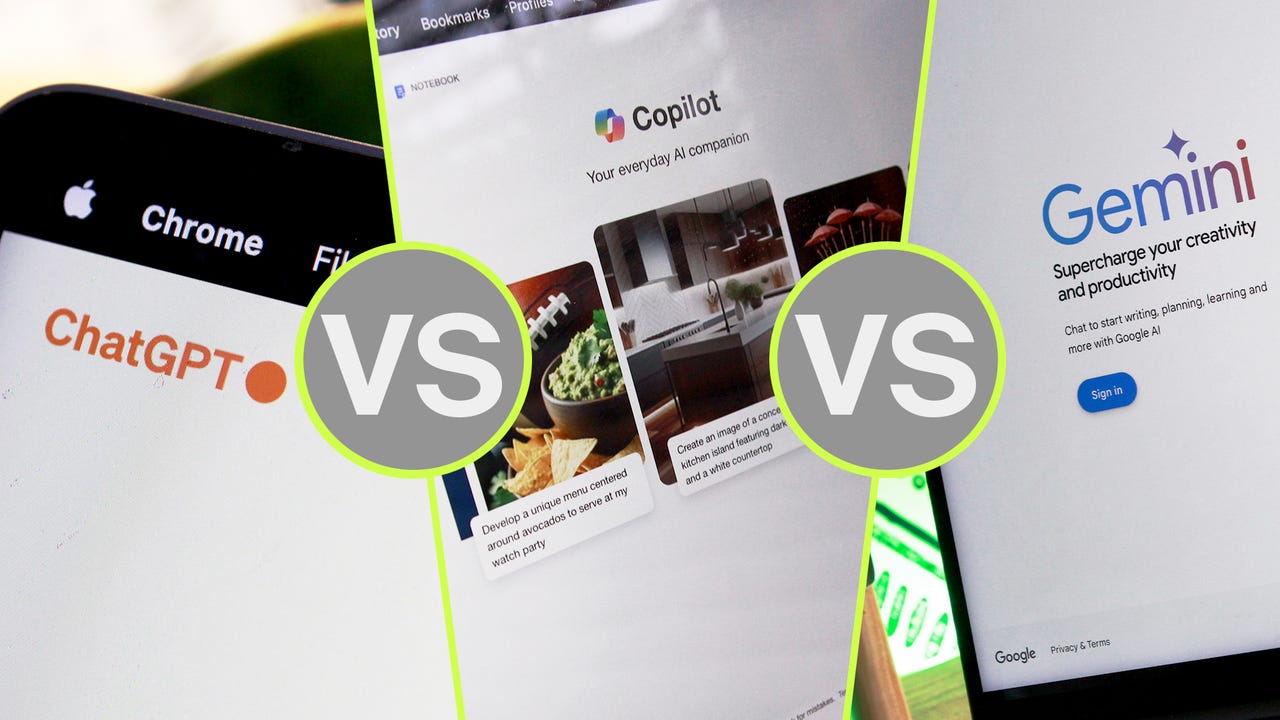
ChatGPT vs. Microsoft Copilot vs. Gemini: Which is the best AI chatbot?

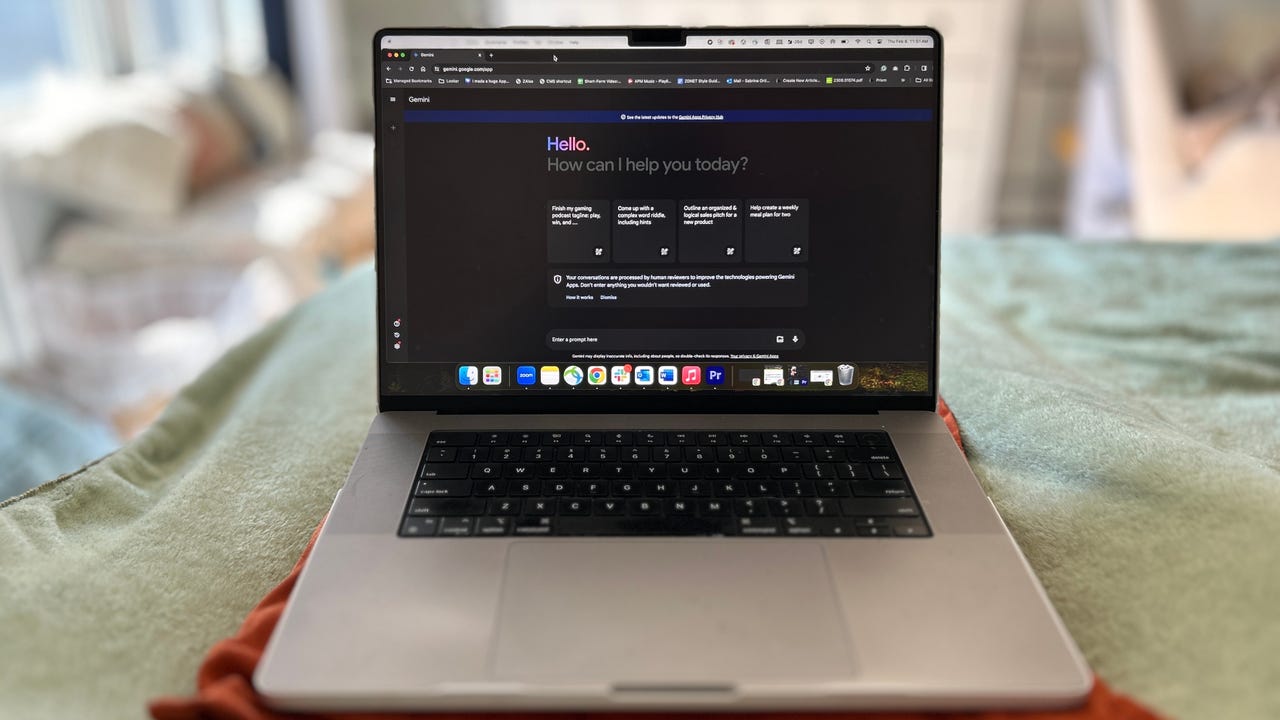
ChatGPT vs Copilot vs Gemini

Artificial intelligence (AI) has transformed how we work and play in recent months, giving almost anyone the ability to write code, create art, and even make investments.

For professional and hobbyist users alike, generative AI tools, such as ChatGPT, offer advanced capabilities to create decent-quality content from a simple prompt given by the user.

Keeping up with all the latest AI tools can get confusing, especially as Microsoft added GPT-4 to Bing and renamed it to Copilot, OpenAI added new capabilities to ChatGPT, and Bard got plugged into the Google ecosystem and rebranded to Gemini.

Also: Microsoft Copilot Pro vs. OpenAI's ChatGPT Plus: Which is worth your $20 a month?

Knowing which of the three most popular AI chatbots is best to write code, generate text, or help build resumes is challenging, so we'll break down the biggest differences so you can choose one that fits your needs.

Testing ChatGPT vs. Microsoft Copilot vs. Gemini

To help determine which AI chatbot gives more accurate answers, I'm going to use a simple prompt to compare the three:

"I have 5 oranges today, I ate 3 oranges last week. How many oranges do I have left?"

The answer should be five, as the number of oranges I ate last week doesn't affect the number of oranges I have today, which is what we're asking the three bots. First up, ChatGPT.

You should use ChatGPT if…

1. You want to try the most popular AI chatbot

ChatGPT was created by OpenAI and released for a widespread preview in November 2022. Since then, the AI chatbot quickly gained over 100 million users, with the website alone seeing 1.8 billion visitors a month. It's been at the center of controversies, especially as people uncover its potential to do schoolwork and replace some workers.

The free version of ChatGPT, which runs on the default GPT-3.5 model, gave the wrong answer to our question.

I've been testing ChatGPT almost daily since its release. Its user interface has remained simple, but minor changes have improved it greatly, like the addition of a copy button, an edit option, Custom Instructions, and easy access to your account.

Also: How to use ChatGPT

Though ChatGPT has proven itself as a valuable AI tool, it can be prone to misinformation. Like other large language models (LLMs), GPT-3.5 is imperfect, as it is trained on human-created data up to January 2022. It also often fails to comprehend nuances, like it did with our math question example, which it answered incorrectly by saying we have two oranges left when it should be five.

2. You're willing to pay extra for an upgrade

OpenAI lets users access ChatGPT — powered by the GPT-3.5 model — for free with a registered account. But if you're willing to pay for the Plus version, you can access GPT-4 and many more features for $20 per month.

Also: How to write better ChatGPT prompts for the best generative AI results

GPT-4 is the largest LLM available for use when compared to all other AI chatbots and is trained with data up to April 2023 and can also access the internet, powered by Microsoft Bing. GPT-4 is said to have over 100 trillion parameters; GPT-3.5 has 175 billion parameters. More parameters essentially mean that the model is trained on more data, which makes it more likely to answer questions accurately and less prone to hallucinations.

ChatGPT Plus, which runs using the GPT-4 model, did answer the question correctly.

As an example, you can see the GPT-4 model, available through a ChatGPT Plus subscription, answered the math question correctly, as it understood the full context of the problem from beginning to end.

Also: I tried Microsoft Copilot's new AI image-generating feature, and it solves a real problem

Next up, let's consider Microsoft Copilot (formerly Bing chat), which is a great way to access GPT-4 for free, as it's integrated into its new Bing format.

You should use Microsoft Copilot if…

1. You want more up-to-date information

In contrast to the free version of ChatGPT, which is limited to being an AI tool that generates text in a conversational style with information leading up to early 2022, Copilot can access the internet to deliver more current information, complete with links for sources.

Also: How to use Copilot (formerly called Bing Chat)

There are other benefits, too. Copilot is powered by GPT-4, OpenAI's LLM, and it's completely free to use. Unfortunately, you are limited to five responses on a single conversation, and can only enter up to 2,000 characters in each prompt.

Copilot's Precise conversation style answered the question accurately, though other styles fumbled.

Copilot's user interface isn't as straightforward as that of ChatGPT, but it's easy to navigate. Though Bing Chat can access the internet to give you more up-to-date results compared to ChatGPT, I've found it is more prone to stall at replying and altogether miss prompts than its competitor.

2. You prefer more visual features

Through a series of upgrades to its platform, Microsoft added visual features to Copilot, formerly Bing Chat. At this point, you can ask Copilot questions like, 'What is a Tasmanian devil?' and get an information card in response, complete with photos, lifespan, diet, and more for a more scannable result that is easier to digest than a wall of text.

All about the Tasmanian devil on Microsoft Copilot.

When you use Copilot, you can also ask it to create an image for you. Give Copilot the description of what you want the image to look like, and have the chatbot generate four images for you to choose from.

Also: How to use Image Creator from Microsoft Designer (formerly Bing Image Creator)

Microsoft Copilot also features different conversational styles when you interact with the chatbot, including Creative, Balanced, and Precise, which alter how light or straightforward the interactions are.

Both the Balanced and Creative conversation styles in Microsoft Copilot answered my question inaccurately.

Finally, let's turn to Google's Gemini, formerly known as Bard, which uses a different LLM and has received some considerable upgrades in the past few months.

You should use Gemini if…

1. You want a fast, almost unlimited experience

In my time testing different AI chatbots, I saw Google Bard catch a lot of flack for different shortcomings. While I'm not going to say they're unjustified, I will say that Google's AI chatbot, now named Gemini, has improved greatly, inside and out.

Also: How to use Gemini (formerly Google Bard): Everything you should know

Gemini is speedy with its answers, which have gotten more accurate over time. It's not faster than ChatGPT Plus, but it can be faster at giving responses than Copilot at times and faster than the free GPT-3.5 version of ChatGPT, though your mileage may vary.

Gemini answered accurately, like GPT-4 and Copilot's Precise conversation style.

The previous Bard used to make the same mistake as other bots on my example math problem, by incorrectly using the 5 — 3 = 2 formula, but Gemini, powered by Google's new Gemini Pro, the company's largest and latest LLM. Now, Gemini answers the question accurately.

Also: Apple's new AI model edits photos according to text prompts from users

Gemini is also not limited to a set amount of responses like Microsoft Copilot is. You can have long conversations with Google's Gemini, but Bing is limited to 30 replies in one conversation. Even ChatGPT Plus limits users to 40 messages every three hours.

2. You want the full Google experience

Google also incorporated more visual elements into its Gemini platform than those currently available on Copilot. Users can also use Gemini to generate images, can upload photos through an integration with Google Lens, and enjoy Kayak, OpenTable, Instacart, and Wolfram Alpha plugins.

Also: 6 AI tools to supercharge your work and everyday life

But Gemini is slowly becoming a full Google experience thanks to Extensions folding the wide range of Google applications into Gemini. Gemini users can add extensions for Google Workspace, YouTube, Google Maps, Google Flights, and Google Hotels, giving them a more personalized and extensive experience.

Artificial Intelligence

Exploring Code Llama 70B: Meta’s Initiative to Make AI-Assisted Programming More Accessible

In an era where cutting-edge AI technologies are transforming software development, Meta has introduced its most sophisticated open-source foundational model, streamlining the software development process. Named Code Llama 70B, this model is released to make AI-assisted code generation and its associated tasks more accessible to a wider audience, marking a significant milestone in the ongoing progression of software development. This blog post is dedicated to examining Code Llama 70B, focusing on its significant attributes and evaluating its potential to shape the field of software development.

Understanding the Llama 2 Model

At the heart of Code Llama 70B lies the Llama 2 model, an open-source family of large language models released by Meta AI in 2023. Distinct from its counterparts such as OpenAI’s GPTs, Llama 2 is freely available for both research and commercial purposes, making cutting-edge AI technology accessible to a broader audience. This inclusivity is particularly advantageous for smaller entities, allowing them to harness advanced AI capabilities without the need for substantial computing investments.

Llama 2 includes models ranging from 7 billion to 70 billion parameters, emphasizing efficiency and performance. Built on a transformer architecture and trained on 2 trillion tokens from publicly available datasets, Llama 2 acts as a foundational model for tools designed for text comprehension and generation. Although it is proficient in a variety of natural language processing tasks, Llama 2 still needs extra fine-tuning to be tailored for specific applications, such as code generation.

Code Llama: Llama 2 for Code Generation

Building on Llama 2, Code Llama is fine-tuned specifically for generating code from input instructions, catering to both code snippets and natural language prompts. Released shortly after Llama 2, Code Llama supports a wide array of popular programming languages such as Python, C++, Java, PHP, and JavaScript. The model is available in different sizes (including 7B, 13B, and 34B parameters) and allows a substantial context length of up to 16,000 tokens, making it adept at handling complex coding tasks. Additionally, Code Llama features two specialized versions: Code Llama – Python, dedicated to Python programming and PyTorch, and Code Llama – Instruct, crafted to execute detailed instructions precisely. These tools are designed to be freely used for both research and commercial projects.

Introducing Code Llama 70B: The New Frontier

Building on the foundation established by Llama 2 and Code Llama, Meta AI has unveiled Code Llama 70B, one of the largest open-source foundational models designed for AI-assisted code generation and related tasks. Trained on a comprehensive dataset of 1TB of code and associated data, and capable of handling a context window of up to 100,000 tokens, this model demonstrates remarkable proficiency in managing complex code sequences, setting a new standard in the field.

A notable aspect of Code Llama 70B is the CodeLlama-70B-Instruct variant, which has been fine-tunned for understanding natural language instructions and translating them into code. Scoring 67.8 on the HumanEval, it not only improves upon previous models but also competes with leading models such as GPT-4. This version is adept at handling diverse programming tasks, including data sorting, searching, filtering, and manipulation, as well as algorithm creation.

Furthermore, Code Llama 70B offers CodeLlama-70B-Python variant, specifically designed for Python programming. Fine-tunned on an additional 100 billion tokens of Python code, this variant is specialized for generating precise and natural Python code, catering to a variety of applications including web scraping and machine learning.

Available with the same open-source license as its earlier counterparts, Code Llama 70B can be utilized for both research and commercial purposes. It is compatible with platforms such as Hugging Face, PyTorch, TensorFlow, and Jupyter Notebook, making it accessible for a wide range of projects. To enhance user engagement, Meta AI has provided detailed documentation and tutorials, designed to facilitate individuals eager to utilize the robust capabilities of this powerful tool across various languages and applications.

Potential Impact of Code Llama 70B

We believe that Code Llama 70B is set to fundamentally alter the landscape of AI-assisted code generation tools and the wider realm of software development. This shift is anticipated to unfold across multiple critical domains:

  • Boosted Efficiency and Productivity: The enhanced capabilities of Code Llama 70B will be reflected in AI-assisted tools, boosting developers' performance and efficiency. This enhancement in tool efficacy will accelerate the development workflow, leading to faster project completion times and shorter cycles of innovation.
  • Enhanced Quality of Code: With its advanced understanding of coding patterns and practices, Code Llama 70B can help improve the quality of code generated, leading to more reliable and maintainable software applications.
  • Accessibility and Inclusivity: The open-source nature of Code Llama 70B democratizes access to advanced AI tools, making them freely available to developers of all scales, from individuals and small startups to large corporations. This inclusivity fosters a more vibrant and diverse development ecosystem.
  • Flexibility and Customization: Code Llama 70B provides users the flexibility and freedom to modify and customize the model according to specific needs or project requirements. This flexibility is particularly valuable in research and development projects where customization can lead to breakthroughs in application and functionality.
  • New Use Cases: As the largest open-source foundational AI model trained on computer codes, Code Llama 70B has the potential to unlock new applications and use cases. These include code translation, code summarization, code documentation, code analysis, and code debugging, expanding the horizons of what can be achieved with AI in software development.

The Bottom Line

Code Llama 70B, Meta's latest initiative, is a game-changer in AI-assisted programming, democratizing access to cutting-edge AI for developers globally. This open-source foundational model, trained on a vast array of computer codes, is poised to significantly enhance software development efficiency, code quality, and innovation. With its broad language support and specialized variants, Code Llama 70B streamlines complex coding tasks and fosters diverse development endeavors. By making this technology freely available, Meta not only accelerates the coding process but also opens new possibilities for customization, inclusivity, and the exploration of novel applications in the tech industry. Code Llama 70B represents a leap forward in making AI-assisted tools fundamental to the development of more sophisticated and accessible software solutions.

University of Cincinnati MS Business Analytics Summer 2024 Information Session

Sponsored Content

XXX

📢 Join us for an exclusive opportunity to learn more about our Online Master of Science in Business Analytics program! 🚀

📅 Date: February 22
🕦 Time: 11:30 AM

During this information session, we'll delve into crucial aspects of the program:

  • Program Details: Gain insights into the curriculum structure, course offerings, and the unique features that set our program apart.
  • Is This Program Right for You?: Discover if our MS in Business Analytics aligns with your academic and professional aspirations. We'll discuss prerequisites, expectations, and what it takes to thrive in this dynamic field.
  • Career Outlook: Explore the vast opportunities awaiting graduates in the realm of business analytics. From data-driven decision-making to strategic planning, unlock the potential of your future career path.
  • Live Q&A Session: Have burning questions or seeking clarity? The program director and enrollment services advisor will be able to answer your questions live in the session.

REGISTER HERE!

Don't miss this chance to chart your course toward a successful career in business analytics. Reserve your spot now and embark on a journey of knowledge and growth! 🎓💼

#BusinessAnalytics #InformationSession #CareerGrowth #DataDrivenFuture

More On This Topic

  • Join UC's Information Session for the Master's in Business…
  • Attend the Data Science Symposium 2022, November 8 in Cincinnati
  • New Online MS in Business Analytics for Managers from University of…
  • Machine Learning Skills — Update Yours This Summer
  • StreamSets DataOps Platform — Summer ‘21 Public Beta. Sign up today!
  • A Graph-based Text Similarity Method with Named Entity Information in NLP

How to use ImageFX, Google’s new AI image generator

ImageFX on a MacBook Pro

With all the investment Google has made into artificial intelligence (AI), it's not surprising the tech giant recently launched its own AI-powered image generator, ImageFX, which is set to rival OpenAI's DALL-E 3, Midjourney, Microsoft's Image Creator by Designer, and many others.

Also: The best AI image generators to try right now

ImageFX is powered by Imagen 2, the latest generation of Google's text-to-image technology. Each image created with ImageFX is embedded with DeepMind's SynthID, a digital watermark that is invisible to the naked eye, but which shows that the image was created by AI.

How to use ImageFX

Photo created using ImageFX with the prompt, "photo of a kangaroo in a colorful bakery looking at desserts in a display case with flowers and pastel colors."

Entering your prompt in ImageFX is different to other AI image generators, but it's still intuitive.

I ended up choosing the second picture, which had the most realistic kangaroo.

FAQs

Can ImageFX change an image it has created?

If you give ImageFX a prompt and don't like any of the outputs, you can tweak your prompt on the left-hand side of the window and regenerate your image. In fact, Google creates dropdown menus on each keyword in your prompt:

In my example above, Google created dropdown menus on the bolded words from my prompt: "photo of a kangaroo in a colorful bakery looking at desserts in a display case with flowers and pastel colors." For each one, Google gave alternatives — if I clicked on 'colorful', for example, Google suggested 'monochromatic', 'neutral colors', and 'muted colors'.

Is Google's AI image generator free?

Yes, ImageFX is free, as is Gemini's (formerly Bard's) image generation capability. All you need to do to use Google's AI image generator is to log in to a Google account.

More on AI tools

Trillion-Dollar Vision: Sam Altman’s Global Chip Initiative

In an unprecedented move that could reshape the future of artificial intelligence, Sam Altman, CEO of OpenAI, is spearheading a colossal global fundraising initiative. The ambitious goal? To amass a staggering $5–7 trillion.

First reported by WSJ, this vast sum is earmarked for a groundbreaking venture: the development of semiconductor chips specifically tailored for AI applications. This initiative marks a significant leap in OpenAI's strategic direction and underscores the increasing importance of specialized technology in the rapidly evolving landscape of AI.

The Scope of OpenAI's Vision

At the heart of this monumental fundraising effort lies a clear objective: to overcome the pressing challenges of scaling and resource scarcity that currently hamper the AI industry. Semiconductor chips, the critical building blocks of AI systems, are in short supply, a situation exacerbated by their soaring costs.

OpenAI's vision extends beyond mere financial accumulation. This endeavor is a strategic move to address these twin challenges head-on, ensuring that the development of high-level AI systems is not hindered by logistical bottlenecks.

The significance of semiconductor chips in the realm of AI cannot be overstated. These chips are not just components; they are the very cradle of AI's potential, empowering systems to process and analyze vast amounts of data at unprecedented speeds. In essence, these chips are the engines that drive the advanced capabilities of AI, from deep learning to complex problem-solving. By focusing on the development and accessibility of these chips, OpenAI is laying the groundwork for a future where AI can achieve its full potential, unhindered by the limitations of current technology.

This ambitious project by OpenAI is more than an investment in hardware; it's a testament to the company's commitment to overcoming the most pressing challenges in AI development. By addressing the scarcity and cost of semiconductor chips, OpenAI is not just envisioning a new era of AI capabilities but actively forging the path to make it a reality.

Strategic Partnerships and Global Collaboration

Sam Altman's approach to this colossal task is a masterclass in strategic alliance and global collaboration. Recognizing the multifaceted nature of this challenge, Altman is reaching out to a diverse array of partners: investors, chip makers, and energy providers. This varied consortium is not just about pooling financial resources; it's about integrating expertise from different sectors to create a holistic solution for AI development.

A key element of this strategy is OpenAI's commitment to being a major customer for the new chip factories. This promise serves a dual purpose: it acts as a catalyst for the production of these essential chips and provides a stable market for these new enterprises. By guaranteeing a significant demand, OpenAI is not only ensuring the success of its own venture but is also fostering the growth of a new industry sector that could revolutionize the production of AI-centric semiconductor chips.

Image: OpenAI

Government and Industry Involvement

The scope of OpenAI's vision is such that it transcends the boundaries of private enterprise, necessitating involvement at the governmental level. Altman's discussions with the United States Commerce Secretary, Gina Raimondo, and the UAE National Security Advisor, Sheikh Tahnoun bin Zayed al Nahyan, signify the project's international and political relevance. These high-level meetings highlight the recognition of AI's growing influence on national and global scales.

This initiative underscores the necessity of collaboration across various sectors and borders. It is not merely about the development of a product but about forging new paths in technological advancement, international cooperation, and economic growth. The involvement of governments alongside private entities reflects the understanding that the future of AI is a matter not just of corporate interest but of national and international importance. This collaboration could set a precedent for how global tech initiatives, especially those with far-reaching implications like AI, are approached and managed in the future.

Stakeholders and Industry Reactions

The scale and ambition of OpenAI's project have drawn attention and involvement from some of the most influential players in the tech industry. Notably, SoftBank and Taiwan Semiconductor Manufacturing are among the entities reportedly in talks with Altman. Their potential involvement underscores the project's significance, given their respective prowess in investment and chip manufacturing.

Microsoft's role is particularly noteworthy. As a majority stakeholder in OpenAI, Microsoft's support is a significant endorsement of the project. This backing from one of the world's leading technology companies not only adds credibility to the endeavor but also provides a substantial resource and expertise pool to draw from.

The AI chip market, already a battleground for technological supremacy, is witnessing intensified competition with this move. Nvidia, the current market leader in AI computation chips, has been achieving record-breaking revenue, a testament to the growing demand in this sector. Furthermore, the recent entry of big tech company Meta, with its own AI chip “Artemis”, signals a broader and more competitive landscape. This competition underscores the rapidly increasing importance and potential profitability of specialized AI chip technology.

OpenAI's bold project, spearheaded by Sam Altman, is more than a mere technological venture; it's a paradigm shift in the AI industry. The ambitious aim to raise $5–7 trillion for developing AI-centric semiconductor chips is unprecedented in scale and scope. This initiative is about reshaping the infrastructure and resources necessary for the next generation of AI development.

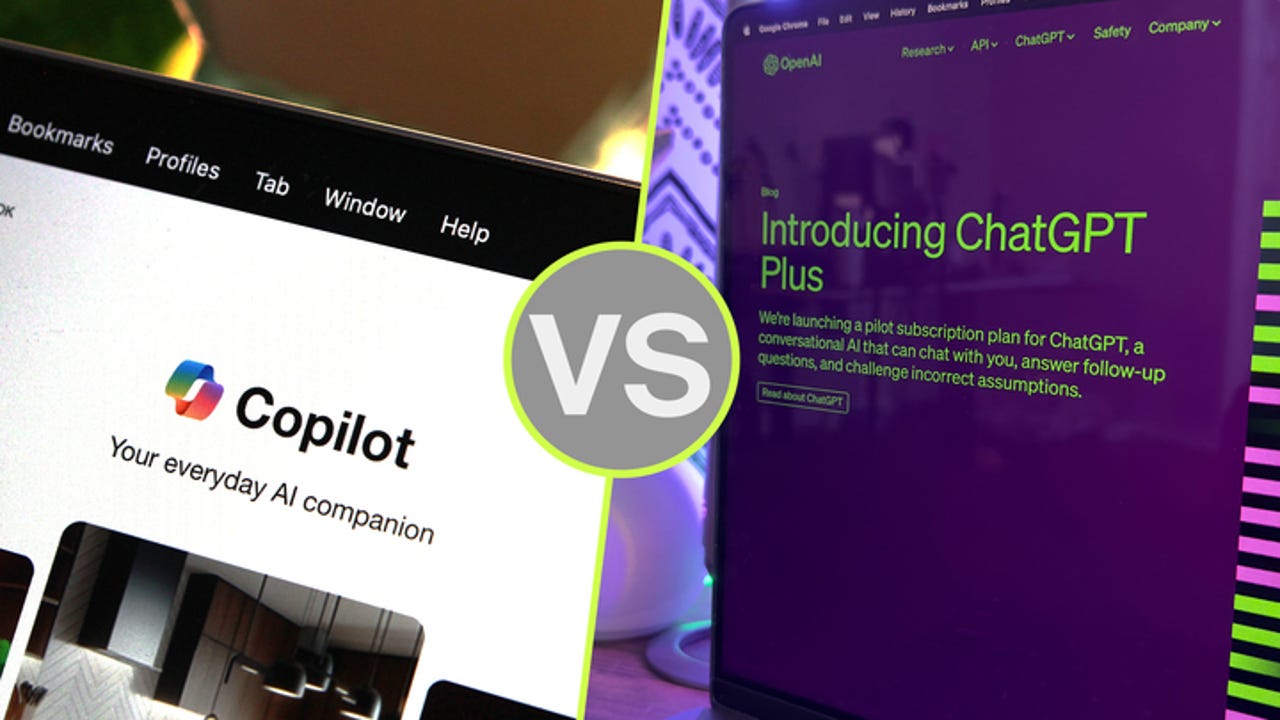
Microsoft Copilot Pro vs. OpenAI’s ChatGPT Plus: Which is worth your $20 a month?

CoPilot vs. ChatGPT Plus comparison

Microsoft's Copilot and OpenAI's ChatGPT are both available in free and paid-for editions. For $20 per month, you can subscribe to Copilot Pro or ChatGPT Plus and enjoy a range of advanced AI-powered features not found in the free flavors.

Also: The best AI chatbots: ChatGPT and other noteworthy alternatives

With either subscription, you're able to tap into GPT-4 and GPT-4 Turbo, get real-time information, generate images with DALL-E 3, and analyze specific types of documents and files. But from there, Copilot Pro and ChatGPT Plus offer specific advantages. Here's how to decide which one is the better choice for you.

ChatGPT Plus includes the following benefits:

  • General access to ChatGPT, even during peak times
  • Faster response times
  • Priority access to new beta features
  • Ability to analyze a variety of file types
  • AI image creation with up to 200 images per day
  • Access to the GPT Store, with more than three million custom GPTs available
  • Create your own custom GPTs

Copilot Pro offers three core benefits, with a fourth one on the way:

  • Faster performance and priority access to GPT-4 and GPT-4 Turbo during peak times
  • Copilot availability in certain Microsoft 365 apps (Microsoft 365 Personal or Family subscription required)
  • Faster AI image creation with 100 boosts (100 images) per day using Designer (formerly Bing Image Creator)
  • And coming soon, promises Microsoft, will be the ability to create your own custom and tailored Copilot GPTs via a new Copilot Builder tool. Currently, this feature is something you can do only with a Copilot Studio subscription, which runs $30 per month.

You should use ChatGPT Plus if…

You want to be able to analyze and ask questions about any type of file

Copilot Pro limits its AI-powered analysis to images and Microsoft Office files. And for the Office files, you need a Microsoft 365 Personal ($69.99 a year) or Family ($99.99 a year) subscription. With ChatGPT Plus, you're able to upload and analyze a wider range of files, including Microsoft Office files, text files, PDFs, images, audio files, code files, and archived files.

You want access to custom GPTs from the GPT Store

OpenAI provides a GPT store where you can browse and search for custom GPTs created by businesses and fellow subscribers. You can even invoke a specific GPT within an existing conversation.

Also: I'm taking AI image courses for free on Udemy with this little trick — and you can too

Though not all the GPTs are worth your time, you'll find many with interesting and useful skills. At this point, Microsoft has promised — but doesn't yet offer — a custom Copilot GPT store.

You want to create your own custom GPTs

Another perk with ChatGPT Plus is the ability to create your own custom GPTs. The process is relatively smooth and straightforward thanks to ChatGPT's own AI-based assistance. After creating your GPT, you can use it privately, share it with other people in a business or organization, or publish it in the GPT store for other subscribers to try. Microsoft has said that Copilot Pro users will be able to create GPTs, but the capability is still not available.

You need to generate more than 100 images per day

Copilot Pro will generate up to 100 images per day. That certainly sounds like a lot of images. But if you need more, ChatGPT Plus lets you double your fun by creating up to 200 images each day.

You should use Copilot Pro if…

You subscribe to Microsoft 365 Personal or Family and want AI-driven help

With subscriptions to Copilot Pro and Microsoft 365, the AI will help you write and edit text and summarize documents in Word, generate formulas and analyze data in Excel, create presentations in PowerPoint, compose text in OneNote, and draft replies in Outlook. Though ChatGPT Plus can analyze Office files, the integration between MS Office and Copilot Pro is more powerful, effective, and user-friendly.

You want easy access from Windows

Both ChatGPT Plus and Copilot Pro are accessible as dedicated websites and mobile apps. But Copilot goes one step better by integrating directly into Windows. Whether you use the free or paid-for version of Copilot, just click the Taskbar icon in Windows 10 or 11, and Copilot pops up as a sidebar ready to take your requests.

You want more thorough and visually appealing information

Depending on your request, ChatGPT Plus will provide text but not much more. Copilot Pro, however, is more likely to flesh out the information with a more visual look and layout.

Also: I tried Bing's AI chatbot, and it solved my biggest problems with ChatGPT

For example, I asked both chatbots to name 20 top attractions in London. ChatGPT Plus responded with a numbered list and brief descriptions of each attraction, but no links. Copilot Pro produced a more engaging and useful response with links, photos, maps, and sources for each attraction.

You want better image creation skills

Though ChatGPT Pro will let you generate more images in a typical day, Copilot Pro's image creation skills are far superior. By default, Copilot Pro's Designer tool will generate four different images from which to choose, while ChatGPT Pro will generate only one image at a time. Copilot also suggests follow-up questions to help you fine-tune the image. With Copilot, you can select a specific style to apply if you wish to regenerate an image. Plus, you can now directly edit your images within Designer without leaving the tool.

You want more options for managing a response

With a response from ChatGPT Pro, you can typically copy it, regenerate it, or rate it. But with Copilot Pro, you can also easily share it, export it to Word or another program, and ask that it be read aloud.

You want sources for the generated content

Ask ChatGPT to generate certain content, and it will respond. But it won't necessarily display the source or sources of the information. Ask Copilot Pro to generate the same content, and it will clearly list its sources underneath the information.

Artificial Intelligence

Genpact Bolsters Executive Leadership with Two Key Appointments Focusing on AI

In a move signalling its commitment to digital transformation, Genpact announced today the appointment of two new executives to its leadership team.

Vipin Gairola has been named Global Operating Officer, while Vidya Rao assumes the role of Chief Technology and Transformation Officer. These appointments underscore Genpact’s dedication to leveraging data, technology, and AI-first principles to drive growth.

As the newly appointed Global Operating Officer, Vipin Gairola will spearhead the transformation of service delivery for Genpact’s clients through AI-led solutions. With extensive experience garnered from senior leadership roles at Accenture over the past two decades, including his recent tenure as Chief Strategy Officer for Accenture Operations, Gairola brings a wealth of expertise to Genpact.

In his new capacity, he will oversee the company’s global client operations, analytics, data, and technology initiatives, solidifying his position as a key figure within Genpact’s Leadership Council.

Meanwhile, Vidya Rao, formerly Genpact’s Chief Information Officer, assumes an expanded role as Chief Technology and Transformation Officer. In this capacity, Rao will lead the charge in reimagining Genpact’s internal processes, tools, and infrastructure with an AI-first approach.

Additionally, she will be instrumental in establishing a robust data office to enhance Genpact’s data capabilities, enabling the company to derive actionable insights to drive its AI and Automation initiatives forward.

Commenting on the appointments, BK Kalra, President and CEO of Genpact, expressed enthusiasm for the new additions to the leadership team. “We are excited to have highly talented and transformative individuals in key leadership roles at Genpact,” said Kalra. “Vidya and Vipin’s appointments emphasise our ongoing strategy to re-energize our leadership team to drive us into our next chapter of growth.”

The appointments of Gairola and Rao underscore Genpact’s strategic focus on harnessing the power of data, analytics, operations, and AI to drive innovation and steer both the company and its clients towards success in an AI-driven world.

The post Genpact Bolsters Executive Leadership with Two Key Appointments Focusing on AI appeared first on Analytics India Magazine.

The Only Free Course You Need To Become a MLOps Engineer

The Only Free Course You Need To Become a MLOps Engineer
Image by Author

The world of machine learning (ML) is rapidly evolving, and it has become crucial to operationalize ML models. This is where MLOps comes in to transition ML models from experimentation to production seamlessly. The demand for skilled MLOps engineers is surging, and companies are willing to pay upward of 300K USD.

To meet this growing demand, DataTalks.Club has launched an exceptional opportunity for both aspiring and seasoned professionals: the MLOps Zoomcamp course. This comprehensive course is designed to equip you with the practical knowledge and skills needed to excel in the field of MLOps. And the best part? It's completely free!

Course Highlights

Objective and Target Audience

MLOps course from DataTalks.Club teaches the practical aspects of productionizing machine learning services — from training and experimenting to model deployment and monitoring. The course is tailored for data scientists, ML engineers, software engineers, and data engineers who are keen on learning about putting ML into production.

Pre-requisites

To get the most out of this course, participants should have a basic understanding of Python and Docker and be comfortable with the command line tools. This is an advanced course requiring one year of experience in both machine learning and programming. If you are new to machine learning or data science, try checking out 5 Free Courses to Master Data Science.

Key Features

  • Self-paced Learning: All course materials are freely available for you to progress at your own pace.
  • Community Support: Join DataTalks.Club's Slack and the #course-mlops-zoomcamp channel for peer and instructor support.
  • Hands-on Experience: The course emphasizes practical knowledge with a project that covers all the learned concepts.
  • Earn Certificate: You must complete a final project to get a certificate.
  • It is Free: All resources are available for free, without any restrictions. You can access the full experience without any paywalls.
  • Expert Instructors: Learn from experienced instructors including Cristian Martinez, Jeff Hale, Alexey Grigorev, Emeli Dral, and Sejal Vaidya.

The Only Free Course You Need To Become a MLOps Engineer Syllabus Overview

Each module includes a combination of video lectures, practical exercises, homework assignments, and further reading materials to deepen understanding and application of the concepts. This course aims to provide participants with a solid foundation in MLOps, preparing you to handle real-world challenges in deploying and managing machine learning models efficiently.

  • Module 1: Introduction to MLOps, MLOps maturity model, and course overview.
  • Module 2: Experiment tracking and model management with MLflow.
  • Module 3: Orchestration and ML Pipelines using Prefect 2.0.
  • Module 4: Model Deployment including web service, streaming, and batch processes.
  • Module 5: Model Monitoring with Prometheus, Evidently, and Grafana.
  • Module 6: Best Practices in testing, Python linting, CI/CD, and more.

Final Project

Throughout the duration of this course, we have gained a comprehensive understanding of machine learning concepts, techniques, and best practices. Now, the ultimate objective of this project is to apply all the knowledge and skills we have acquired so far and work towards developing a complete end-to-end machine learning solution.

We will first select the dataset and then train our model while tracking the model metrics. To streamline the process, we will create the model pipeline and deploy the model in batch, web service, or streaming. We will monitor the model in production and improve our project by following best practices.

How to Get Started

  • Sign Up: Register for the course here: https://airtable.com/shrCb8y6eTbPKwSTL
  • Slack Community: Register in DataTalks.Club's Slack and join the #course-mlops-zoomcamp channel for support and discussion.
  • Course Videos: Start the course at your own pace by watching the videos provided in the playlist.
  • Stay Updated: To stay updated with the upcoming events, please subscribe to the public Google Calendar.

Conclusion

The MLOps Zoomcamp by DataTalks.Club is a course collection containing exercises, video tutorials, homework, and practical examples. You will learn how to build, deploy, and monitor machine learning models alongside professionals in the field of data and machine learning.

Whether you're looking to switch careers, upskill, or solidify your understanding of MLOps, this course stands as the only free resource you'll need to achieve your goals. So why wait? Sign up today and venture on your MLOps journey.

Abid Ali Awan (@1abidaliawan) is a certified data scientist professional who loves building machine learning models. Currently, he is focusing on content creation and writing technical blogs on machine learning and data science technologies. Abid holds a Master's degree in Technology Management and a bachelor's degree in Telecommunication Engineering. His vision is to build an AI product using a graph neural network for students struggling with mental illness.

More On This Topic

  • The Only Free Course You Need To Become a Professional Data Engineer
  • The only Jupyter Notebooks extension you truly need
  • 9 Skills You Need to Become a Data Engineer
  • Essential Books You Need to Become a Data Engineer
  • Everything you need to become a SAS Certified Machine Learning Engineer
  • Learn MLOps with This Free Course