
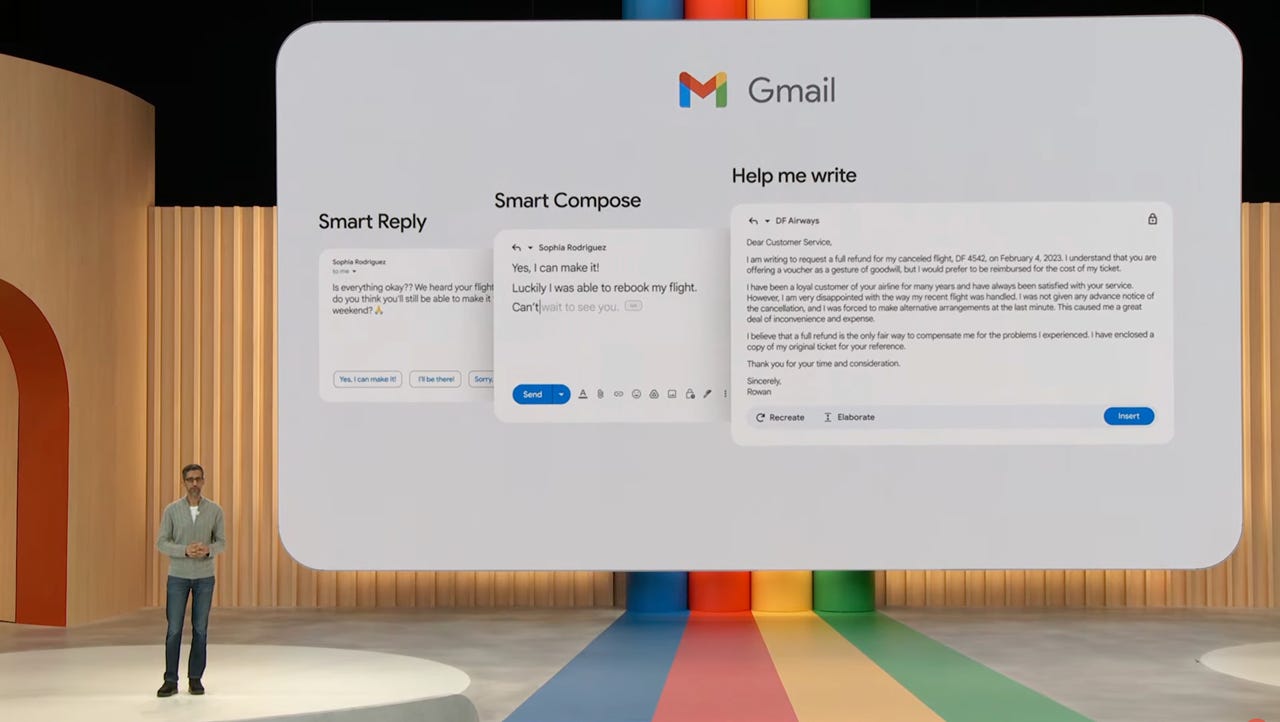
As part of a set of new AI features, Sundar Pichar announced Help Me Write in May during Google I/O.
Artificial intelligence is making its way into tools we use every day, and it's now up to us whether we choose to use it to our benefit. As external generative AI tools like ChatGPT become popular for writing essays, letters, and resumes, Google is making accessing generative AI even easier by integrating the technology into the largest email service provider: Gmail.
Originally announced by the company's CEO, Sundar Pichar, during Google I/O in May, Help Me Write is a feature that leverages generative AI to create emails from a prompt within the new message window.
Also: How to optimize your Gmail inbox layout
This means you don't have to go to a separate app or log into a separate website, enter a prompt, copy the response, then paste it back into your new message. Gmail will now do it all for you.
How to use Help Me Write for Gmail
Click on Join Waitlist under the Workspace section.
I'm an Outlook gal myself, but it works.
Once you're done with your edits, you can press send.
FAQ
Is there a waitlist to try Gmail AI?
If you'd like to test out the Help Me Write feature in Gmail, you'll need to sign up for Google's Workspace Labs, which will give you early access to testing new features for generative AI experiments.
Though the site says there is a waitlist, I was given immediate access to Workspace Labs when I signed up, so it's worth giving it a shot. The waiting period may go up as more users sign up to test the new Help Me Write features.
Eventually, the feature is expected to roll out to all Gmail users.
Can you use Help Me Write on desktop?
The Help Me Write feature became available for Workspace Labs testers on the Gmail mobile app for iOS and Android but it is also available for desktop users. If you access Gmail on any computer, you can also access Help Me Write as a Workspace Labs user when you start a new email.
Where is the Gmail Help Me Write button?
The Gmail Help Me Write button is found when you start to compose a new email; it can be found at the bottom right corner of the screen.