Clika is building a platform to make AI models run faster Kyle Wiggers 14 hours
Ben Asaf spent several years building dev infrastructure at Mobileye, the autonomous driving startup that Intel acquired in 2017, while working on methods to accelerate AI model training at Hebrew University.
An expert in MLOps (machine learning operations) — tools for streamlining the process of taking AI models to production and then maintaining and monitoring them — Asaf was inspired to launch a company that removed the major roadblocks to software engineers and firms deploying AI models into production.
“When I first came to the idea of starting a company, not many companies and people had the industrial experience of having built or implemented the practice of MLOps into their AI development pipeline,” Asaf told TechCrunch in an email interview. “I thought we could make AI ‘tiny’ for lighter, faster and more affordable to productize and commercialize.”
In 2021, Asaf teamed up with Nayul Kim, his wife, who’d been working as a digital transformation consultant for enterprises, to found Clika, one of the startups competing in the Startup Battlefield 200 competition at TechCrunch Disrupt. Clika provides a toolkit for companies to automatically “downsize” their internally developed AI models, reducing the amount of compute power they consume and, as an added benefit, speeding up their inferencing.
“With Clika, you simply connect your pre-trained AI models and get an ‘auto-magically’ compressed model fully compatible with a target device — a server, the cloud, the edge or an embedded device,” Asaf said.
To achieve this feat, Clika relies on techniques such as quantization, which essentially lessens the number of bits — the smallest increment of data on a computer — in a model needed to represent information. By sacrificing some precision, quantization can shrink a model without interfering with its ability to perform a particular task — such as identifying different dog breeds.
Clika also generates a report with potential improvements or changes that could be made to a model for improved performance.
Interest in ways to make models more efficient is growing as the AI industry faces supply chain issues related to the hardware necessary to run these models. Microsoft recently warned in an earnings report that Azure customers might face service disruptions due to AI hardware shortages. Meanwhile, Nvidia’s best-performing AI chips — the H100 GPU series — are reportedly sold out until 2024.
Of course, Clika isn’t the only startup chasing after approaches to compress AI models. There’s Deci, backed by Intel; OctoML, which, like Clika, automatically optimizes and packages models for an array of different hardware; and CoCoPie, a startup creating a platform to optimize AI models specifically for edge devices.
But Asaf argues that Clika has a technological advantage.
“While other solutions use rule-based techniques for compression, Clika’s compression engine has [an] AI approach of understanding different AI model structures and applying the best compression method for each unique AI model,” he said. “We have the world’s best compression toolkit for vision AI, outperforming the performance of existing solution developed by Meta and Nvidia.”
“World’s best” is quite the claim. But Clika’s managed to win over investors for what it’s worth — raising $1.1 million in a pre-seed round last year with participation from Kimsiga Lab, Dodam Ventures, D-Camp and angel investor Lee Sanghee.
Asaf wasn’t ready to talk about customer momentum just yet — Clika’s currently pre-revenue, running a closed beta for a “select few businesses.” But he said that Clika plans to pursue seed funding sometime “soon.”
Amazon is constantly looking for new ways to innovate through hardware and software, from Echo devices to new Alexa capabilities. Today, the company held its annual Devices and Services event at its new headquarters in Arlington, Virginia to unveil new updates for Alexa, a new Echo Show, Fire tablets, and a slew of Fire TV updates.
Also: Amazon is refreshing its Fire TV products with generative AI features. Here's what's new
Last year, we saw the launch of the Kindle Scribe, a new generation of Echo Dot and Fire TV Cube, the addition of spatial audio to the Echo Studio, a Fire TV Pro Remote, and the eero built-in capability added to some Echo devices. This year, Amazon is launching new Fire TV Sticks, a new Soundbar, and Alexa is seeing the biggest makeover of the voice assistant's virtual life.
Auctoria uses generative AI to create video game models Kyle Wiggers 7 hours
Several years ago, Aleksander Caban, the co-founder of Carbon Studio, a Polish VR game developer, observed a major problem in modern game design. He had to create rocks, hills, paths and other basic elements of video game environments manually, which often turned out to be a time-consuming — and laborious — process.
So Caban decided to develop tech to help automate the process.
He teamed up with Michal Bugała, Joanna Zając and two Carbon Studio co-founders, Karolina Koszuta and Błażej Szaflik, to launch Auctoria, a platform that taps AI to generate 3D video game assets from scratch. Based in Gliwice, Poland, Auctoria is one of the participants in the Startup Battlefield 200 at TechCrunch Disrupt 2023.
“We created Auctoria out of a passion for limitless creativity,” Zając told TechCrunch in an email interview. “It was created to support game development professionals in their work, but everyone who wants to create may use it. There’s not a lot of advanced tools for professionals; most of them are focused on hobbyists and amateurs. We want to change that.”
Auctoria uses generative AI tech to create a range of different model types for video games. One of the platform’s features attempts to generate entire 3D game levels, complete with pathways for players to explore (albeit fairly basic ones), while another converts uploaded images and textures of walls, floors and columns into 3D equivalents of that artwork.
Users can also enter text prompts to have Auctoria generate assets, à la DALL-E 2 or Midjourney. Or they can provide a sketch, which the platform will attempt to turn into a usable digital model.
A 3D video game level created with Auctoria. Image Credits: Auctoria
Zając claims that all the AI algorithms powering Auctoria, as well as the data used to train them, were developed in-house.
“Auctoria is based 100% on our content, so we’re not dependent on any other provider,” she said. “It’s an independent tool — Auctoria doesn’t rely on any external engine or use open source solutions.”
Now, Auctoria doesn’t stand alone in the nascent market for AI tools to generate game assets. There’s the 3D model-creating platforms 3DFY and Scenario, as well as startups like Kaedim, Mirage and Hypothetic. Even incumbents such as Nvidia and Autodesk are beginning to dip their toes in the space with apps like Get3D, which converts images to 3D models, and ClipForge, which generates models from text descriptions.
Meta, too, has experimented with tech to generate 3D assets from prompts. So has OpenAI, which last December released Point-E, an AI that synthesizes 3D models with potential applications in 3D printing, game design and animation.
The race to bring new solutions to market isn’t surprising, given the sheer size of the opportunity. According to Proficient Market Insights, the 3D models market could be worth $3.57 billion by 2028.
But Zając claims Auctoria’s relatively long development cycle — it’s been in the R&D stage for roughly two years — has resulted in a more “robust” and “comprehensive” toolset than some rivals offer.
“At present, there’s a lack of AI-based software that enables the creation of complete 3D world models,” Zając said. “Existing solutions typically consist of 3D editors and plugins, but they offer only a fraction of Auctoria’s capabilities. Our team began developing the tool two years ago, allowing us to have a ready-to-use product.”
Of course, as with all generative AI startups, Auctoria will have to contend with the legal challenges currently swirling around AI-generated media. In the U.S. at least, it’s not clear yet to what extent AI-generated works can be copyrighted.
But the Auctoria team — a team of seven employees at present, plus the five co-founders — are leaving those questions unaddressed for now. They’re focusing instead on partnering with game development studios, including Caban’s own Carbon Studio, to pilot the tooling.
Ahead of the Auctoria’s general availability in the coming months, the company hopes to raise as much as $5 million to “speed up the process” of creating back-end cloud services to scale the platform.
“The money would decrease the overall computing time needed to create worlds or 3D models with Auctoria,” Zając said. “Creating infrastructure for a software-as-a-service model is one thing — the other is improving the user experience, for example making it easier to onboard with a simple UI and good customer service and marketing experiences … We’re going to keep our core team small, but by the end of the year, we’re going to hire a few more employees.”
At CrowdStrike’s annual Fal.Con show in Las Vegas this week, the company announced a series of enhancements to its Falcon security platform, including a new Raptor release with generative-AI capabilities. The company also announced the acquisition of Bionic to add cloud application security to its portfolio.
Jump to:
What’s new in the Falcon Raptor release?
Bionic acquisition should give CrowdStrike an edge in CNAPP market
What’s new in the Falcon Raptor release?
CrowdStrike Falcon covers endpoint security, Extended Detection and Response, cloud security, threat intelligence, identity protection, security/IT Ops and observability. The new Raptor release adds petabyte-scale, fast data collection, search and storage to keep up with generative AI-powered cybersecurity and stay ahead of cybercriminals. It’s being rolled out gradually to existing CrowdStrike customers beginning in September of 2023.
The key elements of the Raptor release are:
Charlotte AI Investigator automates incident creation and investigation, correlates related context into a single incident and generates a large language model incident summary.
CrowdStrike Endpoint Detection and Response provides customers with access to native XDR to accelerate investigations, thereby adding endpoint, identity, cloud and data protection telemetry from across the company’s platform.
The XDR Incident Workbench accelerates investigation and response times by focusing on incidents rather than alerts.
“Raptor eliminates security noise and reduces the time analysts take to chase down incidents,” said Raj Rajamani, head of products at CrowdStrike, when I interviewed him at Fal.Con.
In earlier versions of Falcon, data existed in multiple backends, which increased the possibility of blind spots that could be exploited by hackers. Raptor provides a single data plane to bring the data together in the CrowdStrike platform.
“There is no longer a need for security analysts to go to different points to try to correlate CrowdStrike and third-party data, as everything is stitched together by Charlotte AI to reduce the time needed for triage and analysis,” said Rajamani.
This is achieved by decoupling the data from the compute power needed to compile, process and analyze it. Rajamani said this can take query response times down from hours to seconds and larger queries from days to a few hours.
Main competitors to Falcon
As CrowdStrike Falcon consists of multiple modules that broadly address the security landscape, it competes on multiple fronts. On the EDR side, its main competitors are Microsoft and SentinelOne. On cloud security, it lines up against the likes of Microsoft and Palo Alto Networks. For identity protection, its primary competitor is probably Microsoft. Rajamani said that CrowdStrike has an advantage over Microsoft and others through its ability to build a unified data plane using a single agent and console for all security-related data.
“Others solve parts of the security puzzle but struggle to bring it all together without a 360-degree view,” he said. “The sum of the parts is greater than the whole.”
More Falcon-related announcements
Falcon Foundry is a no-code app dev platform to solve custom IT and security workloads including scanning for vulnerabilities. Now available.
Falcon Data Protection offers policy enforcement of content instead of files to enable users to protect data as it travels across the enterprise and prevent the unauthorized egress of sensitized information. Currently in the beta testing phase.
Falcon for IT provides real-time IT visibility into all system events, state and performance. Now available.
Falcon Exposure Management gives an inside-out and outside-in view of enterprise risk. Now available.
Bionic acquisition should give CrowdStrike an edge in CNAPP market
The other big announcement at CrowdStrike’s Fal.Con was an agreement to acquire Application Security Posture Management vendor Bionic. This extends CrowdStrike’s cloud native application protection platform to deliver risk visibility and protection across all cloud infrastructure, applications and services.
The crowded cloud-native software platform marketplace is led by PingSafe, Aqua Security, Palo Alto Networks, Orca and many others; the addition of ASPM from Bionic should give CrowdStrike an edge. ASPM adds app-level visibility to infrastructure, and it solves problems such as being able to detect which applications — even legacy applications — are operating within the enterprise and what databases and servers these apps are touching. This is accomplished without an agent.
Rajamani likened it to the difference between an X-ray (CNAPP) and an MRI (ASPM). The addition of Bionic provides CrowdStrike with the ability to detect a wider range of potential issues.
“The integration of Bionic means we can greatly reduce the number of alerts to enable analysts to zero in on the ones that matter,” said Rajamani. “As a result, CrowdStrike will be the first cybersecurity company to deliver complete code-to-runtime cloud security from one unified platform.”
Subscribe to the Cybersecurity Insider Newsletter
Strengthen your organization's IT security defenses by keeping abreast of the latest cybersecurity news, solutions, and best practices.
Anyscale and Nvidia In LLM Hookup September 20, 2023 by Alex Woodie
GenAI developers building atop large language models (LLMs) are the big winners of a new partnership between Anyscale and Nvidia unveiled this week that will see the GPU maker’s AI software integrated into Anyscale’s computing platform.
Anyscale is best known as the company behind Ray, the open source library from UC Berkeley’s RISELab that turns any Python program developed on a laptop into a super-scalable distributed application able to take advantage of the biggest clusters. The Anyscale Platform, meanwhile, is the company’s commercial Ray service that was launched in 2021.
The partnership with Nvidia has open source and commercial components. On the open source front, the companies will hook several of the GPU manufacturer’s AI frameworks, including TensorRT-LLM, Triton Inference Server, and NeMo, into Ray. On the commercial side, the companies have pledged to get the Nvidia AI Enterprise software suite certified for the Anyscale Platform, as well as integrations for Anyscale Endpoints.
The integration of the TensorRT-LLM library with Ray will enable GenAI developers to utilize the library with the Ray framework. Nvidia says TensorRT-LLM brings an 8x performance boost when running on Nvidia’s latest H100 Tensor Core GPUs compared to the prior generation.
Developers working with Ray can also now use Nvidia’s Triton Inference Server when deploying AI inference workloads using Ray. The Triton Inference Server supports a range of processors and deployment scenarios, including GPU and CPU on cloud, edge, and embedded devices. It also supports TensorFlow, PyTorch, ONNX, OpenVINO, Python, and RAPIDS XGBoost frameworks, thereby increasing deployment flexibility and performance for GenAI developers, the companies say.
Finally, the integration between Ray and Nvidia’s NeMo framework for GenAI applications will enable GenAI developers to combine the benefits of both products. NeMo contains several components, including ML training and inferencing frameworks, guardrailing toolkits, data curation tools, and pretrained models.
Similarly, the integration between Anyscale Platform and Nvidia’s AI Enterprise software is designed to put more capabilites and tools at the disposal of enterprise GenAI developers. The companies have worked to ensure that Anyscale Endpoints, a new service unveiled by Anyscale this week, is supported within the Nvidia AI Enterprise environment. Anyscale Endpoints are designed to enable developers to integrate LLMs into their applications quickly using popular APIs.
“Previously, developers had to assemble machine learning pipelines, train their own models from scratch, then secure, deploy and scale them,” Anyscale said. “This resulted in high costs and slower time-to-market. Anyscale Endpoints lets developers use familiar API calls to seamlessly add ‘LLM superpowers’ to their operational applications without the painstaking process of developing a custom AI platform.”
Robert Nishihara, CEO and co-founder of Anyscale, says the partnership with Nvidia brings more “performance and efficiency” to the Anyscale portfolio. “Realizing the incredible potential of generative AI requires computing platforms that help developers iterate quickly and save costs when building and tuning LLMs,” Nishihara said.
Anyscale made the announcement at Ray Summit, which is taking place this week in San Francisco.
Related
About the author: Alex Woodie
Alex Woodie has written about IT as a technology journalist for more than a decade. He brings extensive experience from the IBM midrange marketplace, including topics such as servers, ERP applications, programming, databases, security, high availability, storage, business intelligence, cloud, and mobile enablement. He resides in the San Diego area.
OpenAI's ChatGPT has accumulated over 100 million users globally, highlighting both the positive use cases for AI and the need for more regulation. OpenAI is now putting together a team to help build safer and more robust models.
On Tuesday, OpenAI announced that it is launching its OpenAI Red Teaming Network composed of experts who can help provide insight to inform the company's risk assessment and mitigation strategies to deploy safer models.
This network will transform how OpenAI conducts its risk assessments into a more formal process involving various stages of the model and product development cycle, as opposed to "one-off engagements and selection processes before major model deployments," according to OpenAI.
OpenAI is seeking experts of all different backgrounds to make up the team, including domain expertise in education, economics, law, languages, political science, and psychology, to name only a few.
Also: How to use ChatGPT to do research for papers, presentations, studies, and more
But OpenAI says prior experience with AI systems or language models is not required.
The members will be compensated for their time and subject to non-disclosure agreements (NDAs). Since they won't be involved with every new model or project, being on the red team could be as minor as a five-hour-a-year time commitment. You can apply to be a part of the network through OpenAI's site.
In addition to OpenAI's red teaming campaigns, the experts can engage with each other on general "red teaming practices and findings," according to the blog post.
"This network offers a unique opportunity to shape the development of safer AI technologies and policies, and the impact AI can have on the way we live, work, and interact," says OpenAI.
Red teaming is an essential process for testing the effectiveness and ensuring the safety of newer technology. Other tech giants, including Google and Microsoft, have dedicated red teams for their AI models.
Former Meta AI VP debuts Sizzle, an AI-powered learning app and chatbot Lauren Forristal 9 hours
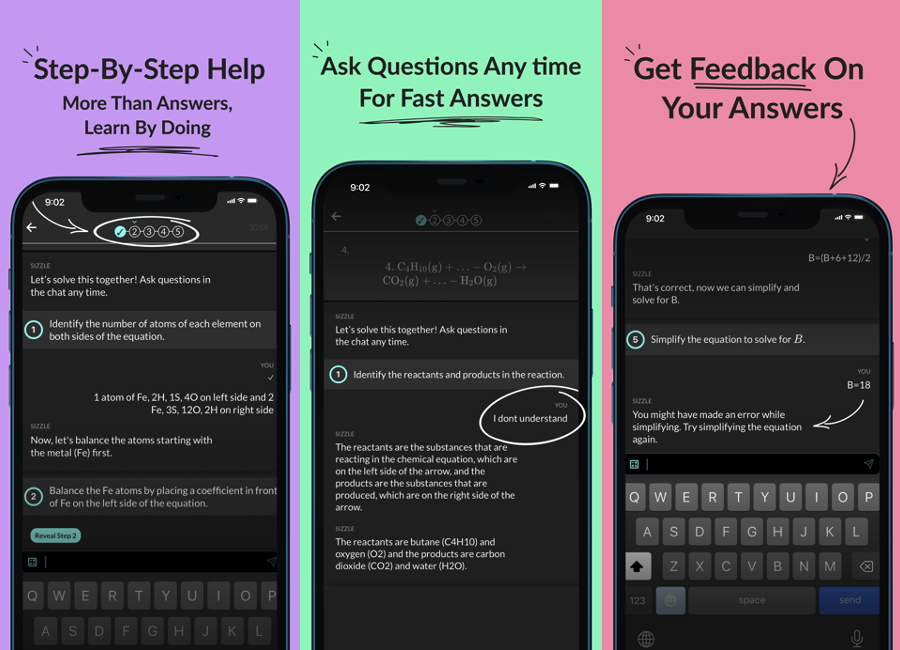
Founded by the former vice president of AI at Meta, Jerome Pesenti, Sizzle is a free AI-powered learning app that generates step-by-step answers to math equations and word problems. The company recently launched four new features, including a grading capability, a feature that regenerates steps, an option to see multiple answers to one problem and the ability to upload photos of assignments.
Sizzle works similarly to math solver platforms like Photomath and Symbolab, however, it can also solve word problems in subjects like physics, chemistry and biology. Sizzle provides help with all learning levels, from Middle School and High School to AP and College.
It’s typical for students to use AI-powered learning apps to instantly get answers without learning anything. OpenAI’s ChatGPT has been a common source to help students cheat. However, Sizzle doesn’t simply provide solutions to the problems. The app acts as a tutor chatbot, guiding the student through each step. Students can also ask the AI questions so they can better understand concepts.
“After leaving Meta, I was inspired to leverage AI to truly help students and non-students no matter what kind of background they come from, the school they attend, or how many resources they have,” Pesenti told TechCrunch, who focused on making Meta products safer through the use of AI. “I felt that applications of AI haven’t had a clear positive impact on people’s lives. Using it to transform learning is an opportunity to change that.”
The Sizzle app leverages large language models from third parties like OpenAI as well as developing its own models in-house, Pesenti explained. The AI’s accuracy rate is 90%.
Image Credits: Sizzle
With the new “Grade Your Homework” feature, users can now upload a picture of a completed homework assignment, and the app will provide specific feedback about each solution. If a user makes an error, Sizzle tells them to try again and walks them through it.
Its new “Try a Different Approach” lets the user suggest a different way to solve the problem in a way that makes sense for them. Users can type a brief explanation of how they would like the AI to re-approach, and it will regenerate a step-by-step solution.
There’s also a “Give Me Choices” option, which gives users multiple answers to choose from. We see this feature being useful in preparing students for upcoming tests.
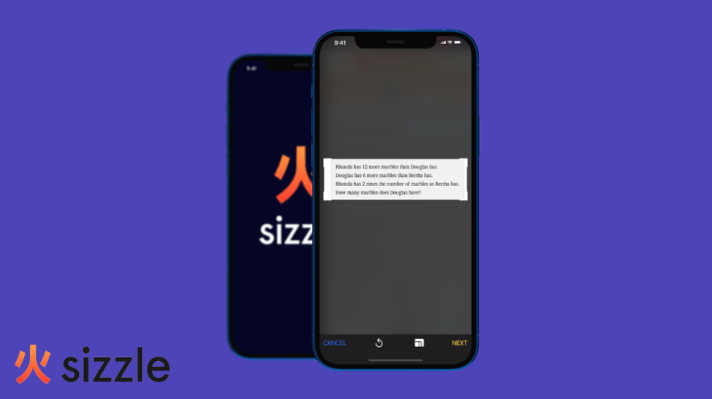
Additionally, the “Answer with a Photo” ability allows them to upload images from their camera roll. Sizzle users could already use their phones to scan a problem.
Built by a team with backgrounds from Meta, Google, Twitter (recently renamed X) and Twitch, Sizzle already has over 20,000 downloads since launching in August. The average rating on both the App Store and Google Play Store is currently 4.6 stars.
Sizzle hopes that rolling out these new features will encourage more students to try the app.
Unlike most learning apps that require users to pay to unlock certain features, Sizzle is completely free to use. The company eventually wants to add a premium offering and in-app purchases, however, the version of the app for solving step-by-step problems will remain free.
Sizzle recently secured $7.5M in seed funding, led by Owl Ventures, with participation from 8VC and FrenchFounders. Sizzle is using the funding to expand its team and help develop the product. The company plans to add more features in the next few months.
A recent study by researchers from MIT, University of California among others has revealed that surprisingly, AI systems, including ChatGPT, BLOOM, DALL-E2, and Midjourney, emit lower carbon emissions when performing specific tasks like writing and illustration compared to their human counterparts.
The mind-blowing numbers concluded that an AI, writing a single page of text emitted a mere fraction of the carbon dioxide equivalent (CO2) compared to a human. ChatGPT, for instance, released just 2.2 grams of CO2 per query, considering both training and operational costs. In contrast, a human writer from the United States was responsible for approximately 1400 grams of CO2e per page, highlighting the substantial difference.
Humans Vs AI: Illustration
The study also extended to illustration tasks, where AI systems like DALL-E2 and Midjourney showcased their environmental impact. DALL-E2 produced images with emissions 2500 times lower than a US-based artist and 310 times lower than an India-based artist. Similarly, Midjourney demonstrated emissions 2900 times lower than a US artist and 370 times lower than one from India.
These findings highlighted the potential of AI to contribute to a more sustainable future. However, the analysis acknowledged that AI’s environmental advantages were not universal and did not account for other critical factors, such as professional displacement, legal challenges related to training materials, or rebound effects. It also noted that AI might not be a suitable substitute for all human tasks.
Despite these complexities, the results offered a ray of hope. AI, once viewed as a potential environmental threat, given the fact that it takes tons of energy to train it, emerged as a valuable ally in the battle against climate change, particularly in tasks such as writing and illustration. Collaboration between AI and humans, harnessing their respective strengths, seemed to be the key to achieving a balance between technological progress and environmental awareness.
As the world is stunned with the implications of these findings, society faces a critical choice. Could humanity harness the power of AI to not only enhance creativity but also minimise its ecological footprint?
Read More : Apple Launches iCringe with a Sustainability Twist
The post AI Emits Significantly Lesser CO2 Compared to Human Counterparts: Study appeared first on Analytics India Magazine.
Poe is a platform which provides access to numerous chatbots and LLMs — both simultaneously and individually — via a unified interface. Beyond some of the usual suspect LLMs, such as ChatGPT, Llama, and others, Poe has access to numerous customized chatbots such as those that rephrase your input into emojis; lack any interest in what you are asking it (really); thinks anything you do is a crime; and many more. The site has both free and subscription tiers. Poe was created by Quora.
Midjourney is a paid AI image generation service. Arguably the most capable model resulting in the highest quality generated images currently available, perfecting Midjourney prompts and getting the best results is an art unto itself, often taking many iterations and lots of time. That's where Poe comes in.
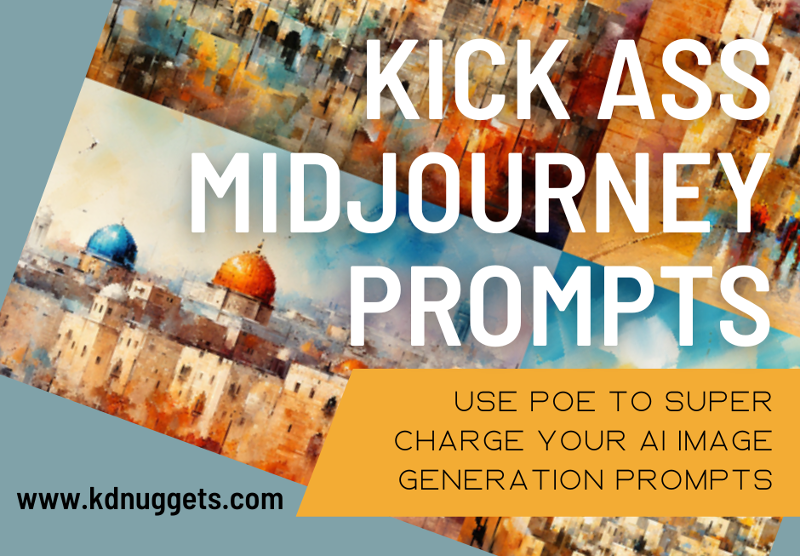
One of the more popular bots on Poe is the Midjourney bot. No, the bot does not provide access to the Midjourney models; instead it takes your rough prompt as input and rewrites it to increase your chances at generating acceptable images from the very beginning.
In this article we will try a few iterations of this process and compare results, giving us a sense of how this Poe bot may allow us to better our images from the start.
For each of these comparisons, the author performed solely the comparisons shown below, performed exactly one image generation run for each prompt, and engaged in no cherry-picking of results in any way. All subjective calls were made by the author alone. Note that any additional Midjourney parameters that Poe may have appended to its new prompt, in order to best compare like fruit. I have added --ar 16:9 to all prompts as 16:9 is the only acceptable image ratio, end of story.
Old City of Jerusalem
Let's start with one of the most iconic and easily-identifiable locales on the planet: the Old City of Jerusalem. I'm not after anything specific, no particular landmarks, I just want an image that represents and resembles the distinct look of the Old City.
My basic prompt and results:
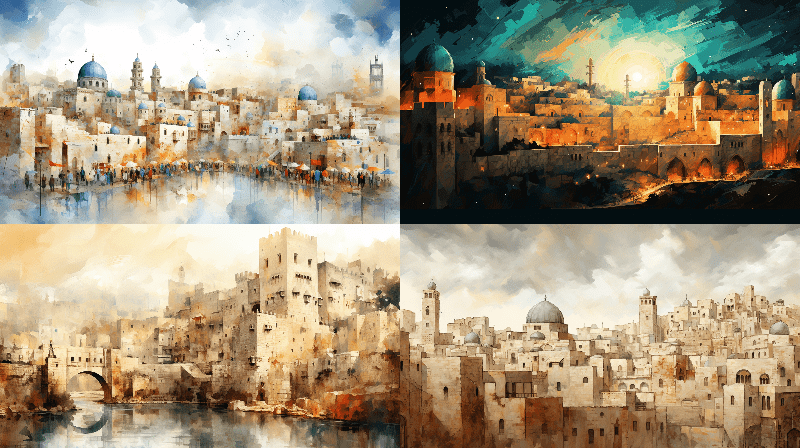
abstract artistic rendering of Jerusalem's Old City —ar 16:9
Images generated by author using Midjourney
Poe-assisted prompt and results:
color photo of an abstract artistic rendering of Jerusalem's Old City. The subject is a vibrant and dynamic interpretation of the ancient city, capturing its rich history and spiritual significance. The photo showcases a flurry of bold brushstrokes and vibrant colors, evoking a sense of energy and movement. The environment is filled with an aura of mysticism, with the narrow streets, ancient walls, and bustling markets all coming together in a harmonious chaos. The camera settings are experimental and avant-garde, pushing the boundaries of traditional photography. A Hasselblad X1D II 50C is used, paired with a Lensbaby Velvet 56 lens, allowing for creative blur and soft focus effects. Double exposure techniques and intentional camera movement are employed to add an ethereal and dreamlike quality to the image. Unlikely collaborators for this scene would be Alejandro González Iñárritu, the visionary director known for his immersive storytelling, Emmanuel Lubezki, the acclaimed cinematographer famous for his poetic visuals, David LaChapelle, the provocative photographer renowned for his surreal and vibrant compositions, and Iris van Herpen, the innovative fashion designer celebrated for her futuristic and sculptural designs —ar 16:9
Images generated by author using Midjourney and Poe
First, have a look at how much more detailed that Poe-generated prompt is. Have a look at some of the specifics, including controversial "in the style of" wording.
Now, you could blindfold me and I could more or less navigate my way around the Old City of Jerusalem, and I can tell you that none of the generated images are of any actual location there. But we can't judge the generated images by this metric; instead we have to use subjective standards of artistic value.
Note: While you may argue with the use of the term "artistic value" (or "artistic" anything) when discussing AI-generated images, I find that it's the best word to express what it is that I am trying to get across in this scenario. Upset? Imagine I wrote "mimicked artistic value". Still upset? Well, AI generated images are here and they aren't going anywhere, and while reasonable people can disagree on how we refer to the process and end results of AI image generation, that's not a discussion I'm looking to have right here, right now. I'm simply demonstrating how people who are inclined to attempt to improve their AI image generation prompts could attempt to do so.
I find the original images to be a bit bland, with no real interesting imagery capturing my attention beyond a first glance. The second round, assisted by Poe, is more colorful and deserving of additional inspection beyond a glance, at least in my mind. Beauty is in the eye of the beholder and all that, so opinions here will differ, but I selected the upper right image in both cases as the "best" representative for both image generation runs. I upscaled both, and share them below.
"Best" image of those generated by Midjourney using basic prompt
"Best" image of those generated by Midjourney using Poe's prompt
Again, this is fully subjective, but in the end I am more impressed by the "best" result using Poe's prompt. In summary, I find the images generated by Poe's prompt, in aggregate, to be better than the original prompt's images, and I likewise find Poe's best effort superior to my original prompt's best effort.
Professional Headshot
Let's try something different, some imagery with humans. Let's generate some professional headshots.
My no-frills prompt:
professional headshot woman in the street
Images generated by author using Midjourney
Compare these with Poe's expanded prompt:
color photo of a professional headshot of a woman in the street. The subject is a confident and poised woman, exuding professionalism and elegance amidst the urban backdrop. Her headshot captures her radiant smile and warm personality, showcasing her approachability and professionalism. The environment is a bustling city street, with blurred pedestrians and traffic in the background, emphasizing the woman as the focal point. The camera settings are carefully chosen to highlight her features and capture her essence. A Nikon D850 is used, paired with a portrait lens, such as a Nikon AF-S NIKKOR 85mm f/1.4G, to achieve a shallow depth of field and create a pleasing bokeh effect. The photo is framed with a balanced composition, utilizing leading lines from the surrounding architecture to add visual interest. Unlikely collaborators for this scene would be Sofia Coppola, the acclaimed director known for her intimate storytelling, Darius Khondji, the renowned cinematographer celebrated for his atmospheric lighting, Annie Leibovitz, the iconic photographer famous for her captivating portraits, and Stella McCartney, the influential fashion designer recognized for her timeless and sustainable designs
Images generated by author using Midjourney and Poe
Again, compare the differences between prompt wording details. Now, leaving aside the facts that all of the generated women appear to be white, a whole other discussion that is deserving of its own attention, below are the 2 "best" images in my view, one from each prompt.
Note: For transparency, out of curiosity I ran the Poe prompt 4 more times afterward, and of the 16 additional non-existent women that it generated, 5 of them appeared to be non-white. Do as you wish with this info, but I thought it was worth attempting and reporting the results of.
"Best" image of those generated by Midjourney using basic prompt "Best" image of those generated by Midjourney using Poe's prompt
Again, I find the Poe-assisted prompts to be more realistic looking. They seem to have a more "natural" feel to them, and determining that they are AI-generated takes a little longer than doing so for the basic prompt images. The lighting and the outdoor aspects seem to look more natural, and though it isn't by a wide margin, I would say some small percentage better.
Conclusion
Maybe this article should have been called "Kick Ass Midjourney Prompts with Poe???" I think the jury may be out on if this Poe bot helps you definitively craft better prompts for image generation — and if so, by how much? — though that definitely won't be solved with a measly single pair examples. I tended to like the Poe-assisted bests a little better than the basic prompts, but, once again, this is both subjective and a decision made using very few data points. Perhaps the takeaways should be that prompt engineering is a complex and fickle beast, and art (both real and AI-generated) is just too subjective to determine when something is better than something else.
Give Poe a try for your own image generating projects, and see how it works for you.
Matthew Mayo (@mattmayo13) holds a Master's degree in computer science and a graduate diploma in data mining. As Editor-in-Chief of KDnuggets, Matthew aims to make complex data science concepts accessible. His professional interests include natural language processing, machine learning algorithms, and exploring emerging AI. He is driven by a mission to democratize knowledge in the data science community. Matthew has been coding since he was 6 years old.
More On This Topic
Unveiling Midjourney 5.2: A Leap Forward in AI Image Generation
When I checked this morning, the ChatGPT Plus plugin store had 119 pages of plugins. With eight plugins per page, that brings us to 952 plugins. Clearly, folks have extended ChatGPT in lots of ways.
There are gotchas, of course. For example, while there are 952 plugins, you can only use three of them at once. If you want to use different plugins, you need to launch a new session and choose a new set. Additionally, if you want to use OpenAI's own mega-plugin, Advanced Data Analysis, you can't run it with any of the other plugins.
Here on ZDNET, we've looked at a lot of plugins. I did a deep dive into a few of them in Extending ChatGPT: Can AI chatbot plugins really change the game? and Steven Vaughan-Nichols did a roundup of his favorite plugins.
But I haven't been looking at plugins simply to write about them. I've started to integrate ChatGPT and plugins into my regular productivity process. And here's what's interesting. For day-to-day work, I've found I need exactly two plugins. I just haven't felt a compelling need to use the others.
Unfortunately, I can't run these two plugins at the same time.
My two favorites
By far, the single most useful and reliable plugin I've found has been ChatGPT's own Advanced Data Analysis plugin. This plugin reads data files, does analysis, generates charts, and can even do image analysis. (Although I haven't used it for that.)
You can turn on Advanced Data Analysis in the Settings dialog. You'll find it under beta features. Don't be confused, however: Advanced Data Analysis used to be called Code Interpreter. It was renamed last month.
The second high-value plugin I use is WebPilot. This allows ChatGPT to access the web. Previously, I had been using MixerBox WebSearchG to do the same thing, but found it failed more often than not. So far, WebPilot hasn't failed me.
There are limitations, however. WebPilot can't do much with comprehensive Amazon searches, for example. That's because, while it can visit and extract content from webpages, it doesn't have the capability to interact with dynamic elements on the page, such as dropdowns, filters, or search bars.
Also: ChatGPT and I played a game of 20 Questions and then this happened
Armed with these two plugins, I can do comprehensive data analysis and I can have ChatGPT get current data from the web. I just can't do both in the same session, which means there will now and then be some hoop-jumping required to find what I want.
Work within the limits
There are definitely limits to what these plugins can do. WebPilot is great at pulling in a single page of information. Sometimes, as in my Yelp experiment, it can scan multiple pages. But it tends to fall down when it has to perform multiple queries.
This is unfortunate because doing a number of web scans and then analyzing those results is where a lot of productivity gains can be had. Let's take a recent example. I'm building a PC using the AMD Ryzen 5 5600X processor. That processor was chosen specifically because it's recommended for a piece of software I want to run. I want a motherboard that can host that processor. I tried to get ChatGPT Plus with WebPilot to do a comprehensive scan of Amazon's offerings and reviews. It kind of didn't.
My prompt:
Use WebPilot. Find me ten PC motherboards in each price range that support the Ryzen 5 5600X processor using the AM4 socket. Include star reviews and a link to each product. Show as a table.
I got back a list, sure. Not all the motherboards could support the AMD Ryzen (one or two were Intel platforms). It gave me star ratings, but the URLs provided weren't to the products' pages on Amazon, they were to Amazon's main page.
Some of this is the nature of the web, of course. Every page is coded differently. Some companies go out of their way to obfuscate page scraping. Others are just difficult to capture as a matter of how they're engineered, without any active blocking on the part of web developers.
Also, the AI doesn't like going down a master list and presenting results all at once. It likes to provide an answer, wait for a pat on the head, and then go on to the next answer. In this way, ChatGPT is like a puppy.
Also: Only 18% of Americans have ever used ChatGPT
The key to success is to work within the limits. For example, I can select a bunch of motherboards that look interesting and then feed each to ChatGPT with WebPilot and ask for sentiment analysis of user reviews — once I locate the exact review link for that product.
For example, I wanted to know if one of the boards I was interested in had noise issues. I had to provide a set of prompts before I got some workable answers:
Do users have complaints about noise with this product: {insert URL link here}
This returned a general discussion of user complaints, but nothing on noise.
Search the web for that motherboard and noise issues
This returned a single user forum complaint about noise on a tech site.
Any other reports?
This brought back a report of noise issues from YouTube, Reddit, and a PC-builder tech site. So it is possible to get the information you need. You just have to work at it.
Advanced Data Analysis
The second plugin is ChatGPT's own Advanced Data Analysis. This is hugely powerful, but is limited to the pre-November 2021 dataset… unless…
The trick here is that ChatGPT Plus with Advanced Data Analysis allows you to upload data files. As such, you can update data that's newer than the 2021 cutoff date.
I showed a lot of charting and table analysis using Advanced Data Analysis in this article. But the place where uploading your own data proved incredibly powerful was when I did some sentiment analysis on a 22,797-record database when uninstalling my code. I hadn't had the time to write code to do that cross-indexing analysis, but ChatGPT did it for me in minutes.
I recently used it with another dataset. There's a service for journalists where you can post a question, and then public relations folks and those interested in promoting themselves and their companies can respond.
This is a great resource for getting insights from the folks actively involved in whatever you're researching. The downside is the signal-to-noise ratio is huge. Lots and lots of people pitch answers, often unrelated to what I'm researching, and often the people pitching don't meet my criteria for inclusion in my research.
Sifting through the pitches for a given project can take days. I tried to download and feed the full set of responses to Advanced Data Analysis, but it didn't like that. But when I did some pre-prep work, turning each pitch into a record in an Excel database (I used a tiny bit of programming for that), then Advanced Data Analysis was able to understand the information.
I didn't want ChatGPT to do the research or analysis, but it was able to separate out those submissions that included an executive's name and title. I asked a few key questions that would help flag an entry as coming from someone who actually read the directions. When I asked ChatGPT to parse those entries for those tests, it was able to present to me a set of qualifying candidate pitches.
I'm not providing those prompts because they were totally unique to that project. But the point is that I did some basic work to prep Advanced Data Analysis, and then it did a bunch of analysis. Usually, it takes me three to four days to go through the hundreds of pitches and sift out the workable data. This time, it took me about half a day.
That's a huge productivity savings.
The key to success with ChatGPT prompts
Certainly, there are limits to ChatGPT, not the least of which is that the AI doesn't always do what you want and it makes stuff up. But ChatGPT can be a huge time saver if you delegate carefully.
Notice that word: Delegate. When used as a verb, Webster's defines "delegate" as "to entrust to another." If you're a manager, the ability to delegate is an important part of the job. But delegating isn't just barking assignments at subordinates. Delegating is entrusting, yes. But it's also guiding and verifying the work product.
This is how you must learn to work with ChatGPT. Don't think of it as a computer program. Think of it as a person to whom you're assigning work. Is that assignment too complex? Is that assignment too vague? Is there a way for the person to succeed with that assignment or are you setting them up to fail?
Also: 4 things Claude AI can do that ChatGPT can't
We're all familiar with these workplace scenarios, so they should be something you can apply to your AI prompting work.
If what you give the AI confuses it, figure out how to clarify. If what you give the AI is too much for it to work with, figure out how to break the project into stages.
Also, don't limit yourself to one tool. If you're a manager, you might have one employee who's great at people interaction. You might have another who's great at fixing things, and yet another with great math skills. You might initially assign one phase of the project to one worker and then move it to another as the needed skills change.
That's what I did with my public relations pitch project. Parsing the replies into comma-separated value lines was easy for my programmer's text editor. I just did a few search and replace operations. Then I opened the document in Excel to see whether it was what I thought I'd created. Only once the data was confirmed did I feed it into ChatGPT and Advanced Data Analysis.
Also: How to use ChatGPT to do research for papers, presentations, studies, and more
So what's the key to ChatGPT success, especially with these two plugins? Learn to break the project down so that the plugins can understand it, and then use all the tools at your disposal to get your results.
If you do that, you'll likely find ChatGPT provides a measurable productivity boost for some of your projects.
Oh, and that's my final suggestion: Keep in mind that not every project is one you can give to the AI. Take your wins where they're appropriate and use other tools to do tasks not suited to artificial intelligence.
Good luck. Live long and prosper. May the force be with you.
You can follow my day-to-day project updates on social media. Be sure to subscribe to my weekly update newsletter on Substack, and follow me on Twitter at @DavidGewirtz, on Facebook at Facebook.com/DavidGewirtz, on Instagram at Instagram.com/DavidGewirtz, and on YouTube at YouTube.com/DavidGewirtzTV.









 About the author: Alex Woodie