
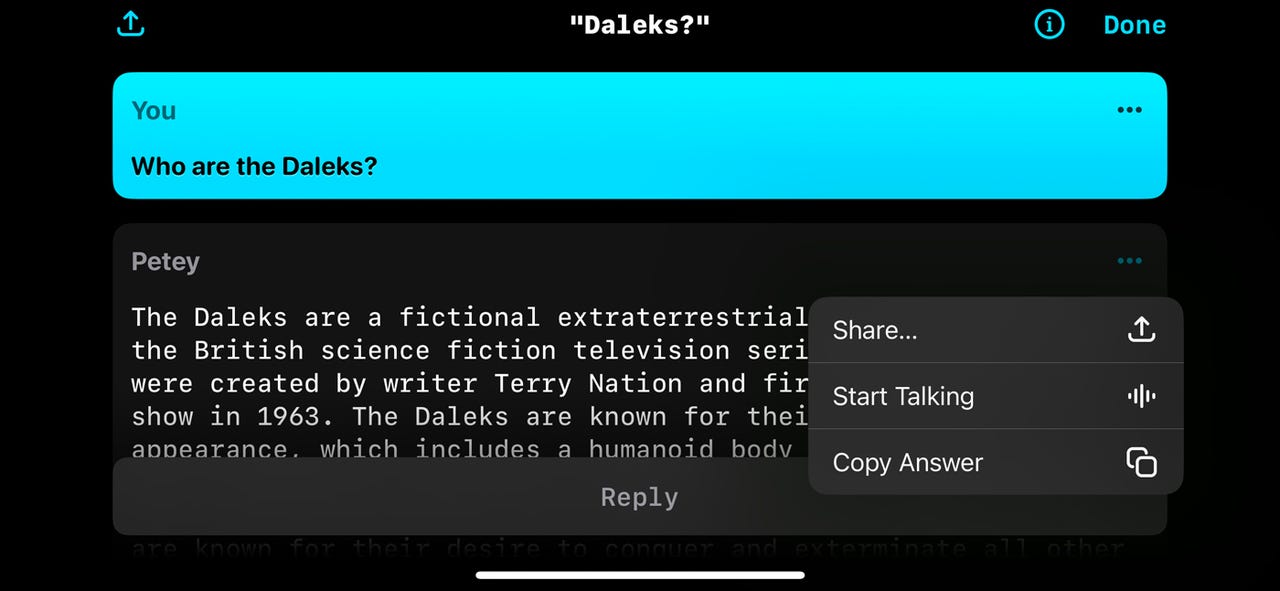
A host of AI chat apps are available for iPhone users. But maybe you also own an Apple Watch and would like to chat with an AI right from your wrist? One app that's up to this challenge is Petey AI.
With Petey on your iPhone or Apple Watch, you can type, tap, or speak your requests and then carry on a conversation. The chat not only appears on the screen but can be spoken aloud. You can even share the chat with someone else via email, text message, or social media app.
Also: How to use ChatGPT: Everything you need to know
First, a bit about Petey. Formerly known as watchGPT but forced to change its name to avoid confusion with ChatGPT, Petey communicates with OpenAI's ChatGPT on the backend. Powered by ChatGPT, Petey handles all the usual questions and requests you'd aim at an AI. But the app can also perform other tricks, such as displaying locations on Apple Maps and creating playlists with Apple Music.
Petey keeps a history of your conversations so you can pick up where you left off. The entry for each chat can reveal locations, links, and the number of ChatGPT tokens you've used. On your iPhone and your Apple Watch, you can launch Petey through a Siri shortcut. On the watch, you can set up Petey as a complication, so it's accessible from any watch face.
Also: How to use ChatPDF: The AI chatbot that can tell you everything about your PDF
Petey is available in a few different ways. You can cough up $6.99 a month ($24.99 a month for GPT-4) for a subscription, or you can generate and paste a ChatGPT API key to use the app for free with GPT-3.5. Otherwise, Petey is free if you want to use it just on the Apple Watch and not on your iPhone.
Now, here's how Petey works on an iPhone and an Apple Watch.
12. Use Petey on your Apple Watch
To make sure Petey is on your watch, open the Watch app on your iPhone. Look for Petey in the Installed on Apple Watch section. If it's not there, tap its Install button in the Available Apps section, and it will be deposited on your watch.
Also: How to set up an Apple Watch
Open Petey on the watch. Tap in the Ask Me Anything field. Depending on your model of watch, you have a few ways of entering text. First, with an Apple Watch Series 7 or later, you can activate an on-screen keyboard to tap the characters for your request. Second, you can type the characters on your paired iPhone. Third, you're able to draw the characters. And fourth, you can dictate your question or request.
Choose your preferred option and submit your prompt. The response appears on the screen and is also read aloud. As long as you keep the watch raised on your wrist and the screen active, the text will continue being spoken aloud until finished. To stop the speech, swipe to the bottom of the response and tap the sound icon in the center of the small toolbar or move your hand down.
To share the response with someone else, tap the Share icon at the bottom, and select the person to whom you want to send it.
Finally, the watch app has its own settings to tweak. Tap the Petey icon on the screen. From the Settings screen, you can unlock the option for GPT-4, change the icon and theme for Petey, enable or disable speech, and adjust the volume.